This document is a user manual for the Philips SPA5250B 5.1 Speaker system. It provides comprehensive information on safety, connections, operation, remote control functions, speaker positioning, Bluetooth usage, troubleshooting, warranty, and product specifications.
Function Description
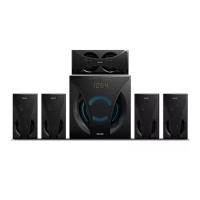
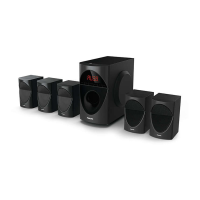
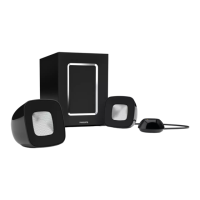
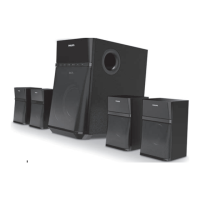
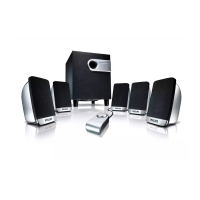
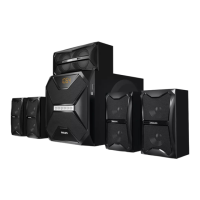
The Philips SPA5250B is a 5.1 multimedia speaker system designed to deliver immersive audio. It comprises a subwoofer and five satellite speakers (front left, front right, center, surround left, and surround right). The system supports various audio input sources, including Audio In (RCA), DVD, USB, SD card, Bluetooth, and FM radio. It features a built-in multimedia amplifier within the subwoofer.
Important Technical Specifications
- Total system power: 150W RMS
- Satellite speaker power: 19Wx5 RMS
- Subwoofer power: 55W RMS
- Separation: >40 dB
- SNR: >60 dB
- Audio input socket: RCA
- Audio output socket: RCA
- Power consumption: 120W
- Subwoofer speaker: 1 Way
- Subwoofer drive size: 8 inches
- Subwoofer impedance: 8 Ohm
- Subwoofer frequency range: 20Hz - 150Hz
- Subwoofer dimension (W x H x D): 316 x 322 x 436 mm
- Subwoofer net weight: 10.9 kg
- Satellite speaker: 1 Way, 5 Speakers
- Satellite drive size: SAT 3 inches, CEN 4 inches
- Satellite impedance: 4 Ohm
- Satellite frequency range: 150Hz - 20KHz
- Satellite dimension (W x H x D): SAT 130 x 223 x 128 mm, CEN 316 x 130 x 128 mm
- Satellite net weight: SAT 1.18 kg, CEN 1.19 kg
- Bluetooth version: V4.0
- Bluetooth range: Up to 10 meters (freespace)
- USB class support: UMS (USB mass storage class)
- USB capacity: Up to 16GB
- USB playability: MP3 format file
Usage Features
- Input Modes: The system supports multiple input modes: Audio In (AUH), Bluetooth (bt), DVD (dUd), USB (USb), SD card (Sd), and FM radio (87.5 for FM). These can be switched via the front panel SRC button or remote control.
- Front Panel Operation:
- SRC: Turns the speaker on/off (long press for stand-by) and changes input modes.
- Previous Song/Station (K): Plays the previous song in USB*, SD*, & BT modes or goes to the previous preset station in FM mode.
- Play/Pause/Scan (II SCAN): Long-press for auto-store (scan) FM stations; short-press to play/pause in USB*, SD*, and BT modes.
- Next Song/Station (I): Plays the next song in USB*, SD*, & BT modes or goes to the next preset station in FM mode.
- Volume Down (-): Long-press for continuous volume down; short-press for step-by-step volume decrease. In FM mode, it decreases frequency by 0.1MHz per step.
- Volume Up (+): Long-press for continuous volume up; short-press for step-by-step volume increase. In FM mode, it increases frequency by 0.1MHz per step.
- Remote Control Functions: The remote offers extensive control, including:
- REPEAT: Sets repeat mode for USB/SD.
- ST-BY: Turns the speaker on/off.
- MUTE: Mutes/unmutes audio.
- PRO-LOGIC: Enables/disables PRO-LOGIC function, switching between 2.1 and 5.1 output (or real 5.1 and prologic on for DVD mode).
- RESET: Resets all user settings.
- FM/AUD/DVD/BT/USB/SD: Direct selection of input modes.
- EQ: Selects different equalizer modes (POP, ROCK, JAZZ, CLASSIC, COUNTRY) in USB/SD mode.
- 10+: Selects music tracks after the 10th track.
- SCAN: Long press for automatic FM channel search and save.
- VOL+/-: Adjusts overall volume.
- PLAY/PAUSE (II): Plays/pauses music.
- PREVIOUS (K)/NEXT (I): Navigates songs/stations.
- SELECT: Switches between individual speaker channel volumes (FL, SL, CE, SU) and allows adjustment using VOL+/-.
- TUNE+/-: Searches FM channels step-by-step (0.1 MHz) or long-press for automatic search.
- Numeric keys (0-9): Direct selection of songs/tracks in USB/SD or direct frequency input in FM mode.
- Speaker Positioning:
- Subwoofer: Recommended on the floor for better acoustic effect.
- All speakers (except subwoofer): Should be placed at the same distance from the listening position for best surround sound.
- Front Left/Right: Equal distance from TV, at approximately 45 degrees (horizontal) from listening position.
- Center Speaker: Above the TV for localized sound.
- Surround Speakers: At normal listening ear level, facing each other or mounted on the wall.
- Magnetic Interference: Avoid positioning speakers too close to the TV.
- Bluetooth Operation:
- Press SRC (front panel) or DVD/BT (remote) to enter Bluetooth mode.
- "bt" will blink, and an audio tone will indicate pairing mode.
- Search for "Philips SPA5250B" on your mobile device and pair. "bt" stops blinking, and an audio tone confirms pairing.
- Long-press "I" on the remote for 3 seconds to force disconnect Bluetooth.
- The system mutes during external calls to protect privacy.
Maintenance Features
- Care of the Cabinet: Use a soft cloth slightly moistened to clean the cabinet. Avoid alcohol, spirits, ammonia, or abrasives.
- Ventilation: Place the apparatus with adequate ventilation, allowing at least 10cm (4 inches) of free space around it to prevent heat buildup. The subwoofer's back cover can become hot at high volumes.
- General Safety:
- Avoid sustained high-volume use, especially with high-output signals, to prevent distortion and damage.
- Switch off the system from the wall socket when not in use.
- Do not open the cover or back panel; there are no user-serviceable parts inside.
- For indoor use only.
- Plug into an AC outlet with the correct voltage.
- The MAINS plug is the disconnect device and should remain readily operable.
- Protect from dripping or splashing liquids; do not place liquid-filled objects (e.g., vases) on the product.
- Do not expose batteries to excessive heat.
- Consider environmental aspects of battery disposal.
- Avoid high temperatures, moisture, water, and dust. Do not install near heat sources.
Troubleshooting
The manual provides solutions for common issues:
- No power: Check AC cord insertion.
- No sound/distorted sound: Adjust volume, select correct source.
- Remote control not functioning: Reduce distance, replace batteries, point at IR sensor, check battery orientation, restart system.
- Low hum/buzz sound: Move product away from interfering electrical devices, check power supply voltage.
- USB/SD flash drive not readable: Drive format may not be compatible (e.g., NTFS not supported).
- Slow USB/SD operation or detection issues: Large memory size drives take longer; re-insert drive.
- FM not properly tuned: Match with local frequency.
- Poor FM reception: Turn off TV/DVD or other radiation sources.
- Bluetooth not working: Reduce distance, ensure device is paired.
For issues not resolved by these steps, contact a Philips service center.
Warranty:
The product comes with a 12-month warranty against defects in materials or workmanship. The warranty is void if:
- Proof of purchase/warranty card is missing or incomplete.
- The apparatus is not used according to the manual.
- Defects are caused by improper/reckless use.
- Repairs are done by unauthorized personnel.
- Modifications or alterations are made to the apparatus.
- The serial number is tampered with.
- Defects are due to causes beyond control (lightning, abnormal voltage, acts of God, transit damage).
Consumables and parts subject to normal wear and tear are not covered.


 To Next Page
 General