4 EN
2 Installation
Note
•
Make sure that the Multimedia Speakers are installed
properly before using.
• If you place the Multimedia Speakers close to CRT
display, you will see obvious color distortion.
System Requirements:
PC Mac
Windows® 98SE, Windows® ME,
Windows® 2000, Windows® XP,
or Windows® Vista™, Windows 7
Mac OS9/
OS® X, or
later
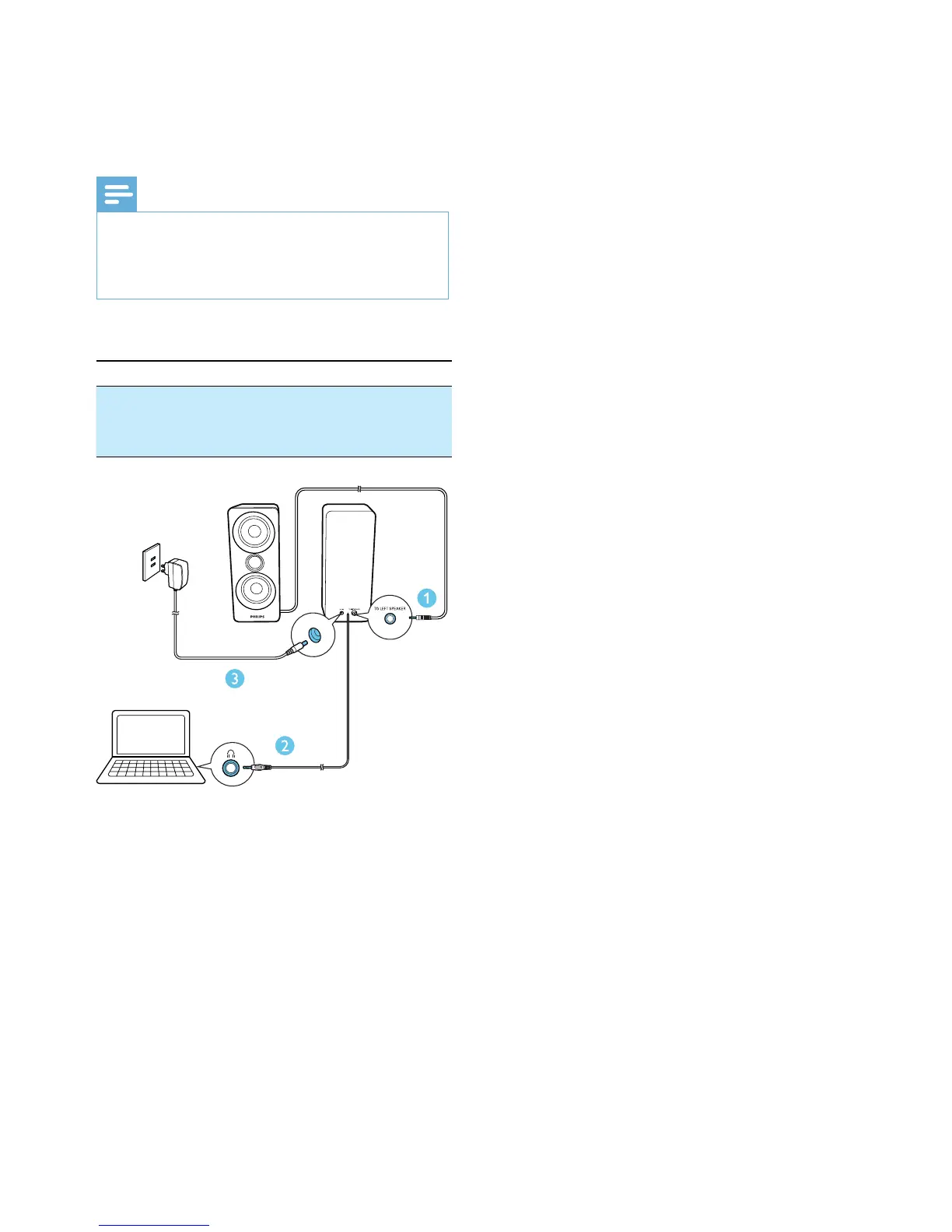
1 Connect the left speaker plug into the
TO LEFT SPEAKER socket on the right
speaker.
2 Connect the audio input plug to the
audio output socket (usually the earphone
socket) of your computer.
3 Connect the AC power adaptor between
• the power socket at the back of the
right speaker, and
• the wall outlet.



 To Next Page