EasyManua.ls Logo

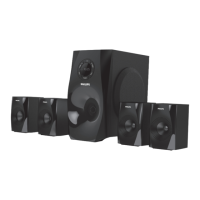
Philips SPA8150B - User Manual

Philips SPA8150B
10 pages
Print Icon
To Next Page IconTo Next Page
Loading...
SPA8150B
4.1

Questions and Answers

  • A
    Amanda LittleAug 9, 2025
    What to do if Philips SPA8150B Speakers remote control is not working?
    • A
      Annette HopkinsAug 9, 2025
      If the remote control for your Philips Speakers isn't working, try the following: * Reduce the distance between the remote and the system. * Replace the batteries with new ones. * Point the remote directly at the IR sensor (on the subwoofer's front panel). * Check that the batteries are correctly inserted.
  • R
    Ryan BranchAug 22, 2025
    How to stop low hum or buzz sound on Philips SPA8150B?
    • L
      lambvincentAug 23, 2025
      To eliminate a low hum or buzz from your Philips Speakers: 1. Move the speakers away from other electrical devices that could be causing interference. 2. Check the power supply voltage and consult an electrician.

Philips SPA8150B Specifications

General IconGeneral
SubwooferYes
Frequency Response20Hz - 20kHz
BluetoothYes
FM RadioYes
Input Sensitivity500 mV
Power SupplyAC 220-240V, 50/60Hz
ConnectivityUSB
Bluetooth Range10 meters
Speaker Type2.1 Channel
Driver Unit5.25" Woofer, 3" Satellites

Related product manuals