WARNING
Under no circumstances should you try to repair the system yourself, as this will
invalidate the warranty. Do not open the system as there is a risk of electric shock.
If a fault occurs, first check the points listed below before taking the system for
repair.
If you are unable to remedy the problem by following these hints, consult your
dealer or PHILIPS for help.
Problem Solution
No power. Check if the AC power cord is properly
inserted into the AC mains socket.
No sound or distorted sound. Adjust the volume.
Check the speaker connection.
Select the correct source
to choose the equipment that you want
to hear through the System.
The remote control does not function Reduce the distance between the remote
Properly. control and the system.
Replace the batteries with new ones.
Point the remote control directly toward the
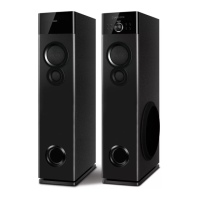
IR sensor (located on front panel of the
Tower).
Low hum or buzz sound. Place the product as far away as possible
from electrical devices that may be
causing interference.
Speaker connector not fixed properly
The content of the USB flash drive The USB flash drive format is not compatible
cannot be read with the system.
Drive is formatted with a different file system
which is not supported by this unit (e.g. NTFS)
Slow operation of the USB Flash Large file size of high memory USB flash drive
drive takes longer time to read and play.
Cannot detect USB flash drive Take out USB drive insert it again properly.
FM not properly tuned Match with local frequency
FM reception not good While listening radio turn off TV/DVD
or other radiation source.
While listening radio turn off TV/DVD
Antenna wire not attached.
MIC not working MIC volume at zero.
Replace the batteries with new one
Bluetooth Reduce the distance between system
and your device.
Re-Pair the device.
Troubleshooting
9


 To Next Page