SPC225NC WebCam
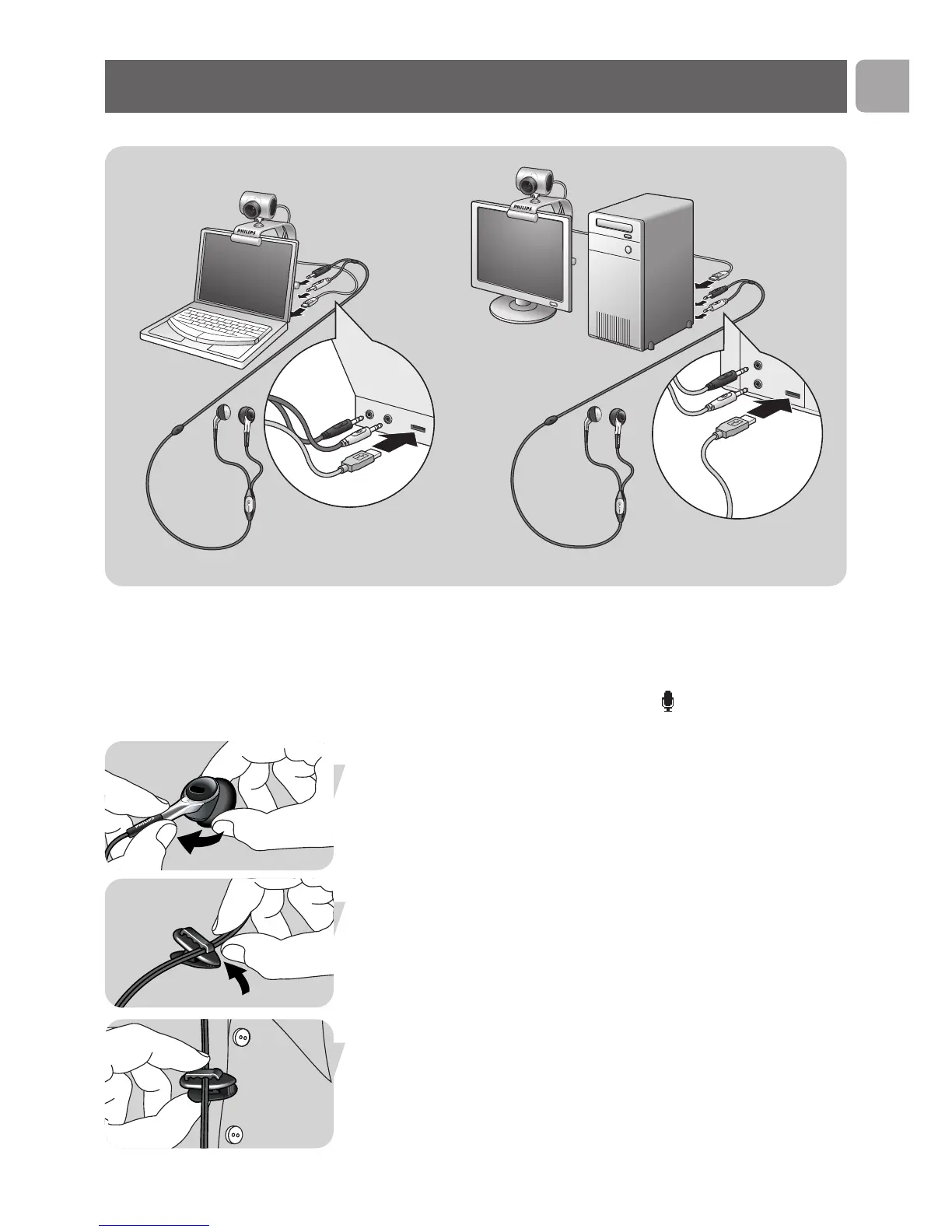
7 Connect the headset audio cable
(SPC225NC only)
to the sound
card of your PC / laptop.
• Connect the grey headphone plug (n) to the headphone
socket of the PC sound card.
• Connect the white microphone plug ( ) to the microphone or
green socket of the sound card.
• If desired, attach the foam pads to the earphones for more
listening comfort.
• If desired, click the audio cable into the shirt clip and attach the
clip to your shirt.
Installation
EN
11



 To Next Page