EN
13
Picture settings
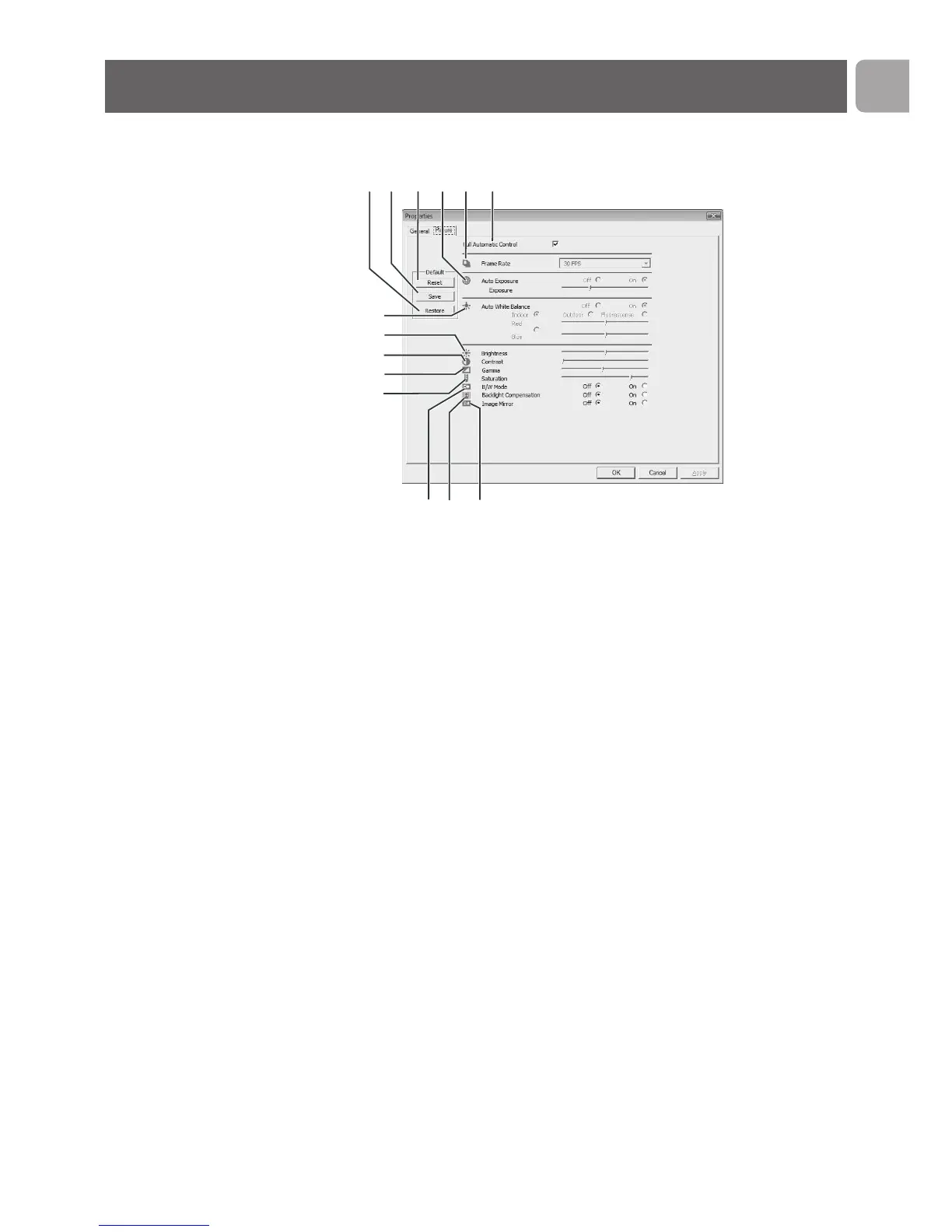
3 Full automatic control: on/off
This full automatic control mode provides a very easy way to
get the best out of your Philips SPC220NC/SPC225NC
WebCam.
Or you can choose to have maximum manual control over
the WebCam settings by switching the full automatic control
mode off. Full automatic control 'on' is the preferred setting
for normal use.
Techniques active within full automatic control mode are:
– Automatic exposure control and automatic white balance
control, to provide the best video source signal possible;
– Automatic frame rate selection for improved WebCam
sensitivity in low light conditions.
4 Frame rate
You can use the scroll open menu to set the frame rate of
the video you wish to capture. E.g. 30 fps means that the
WebCam will capture video at 30 frames per second.



 To Next Page