EN
10
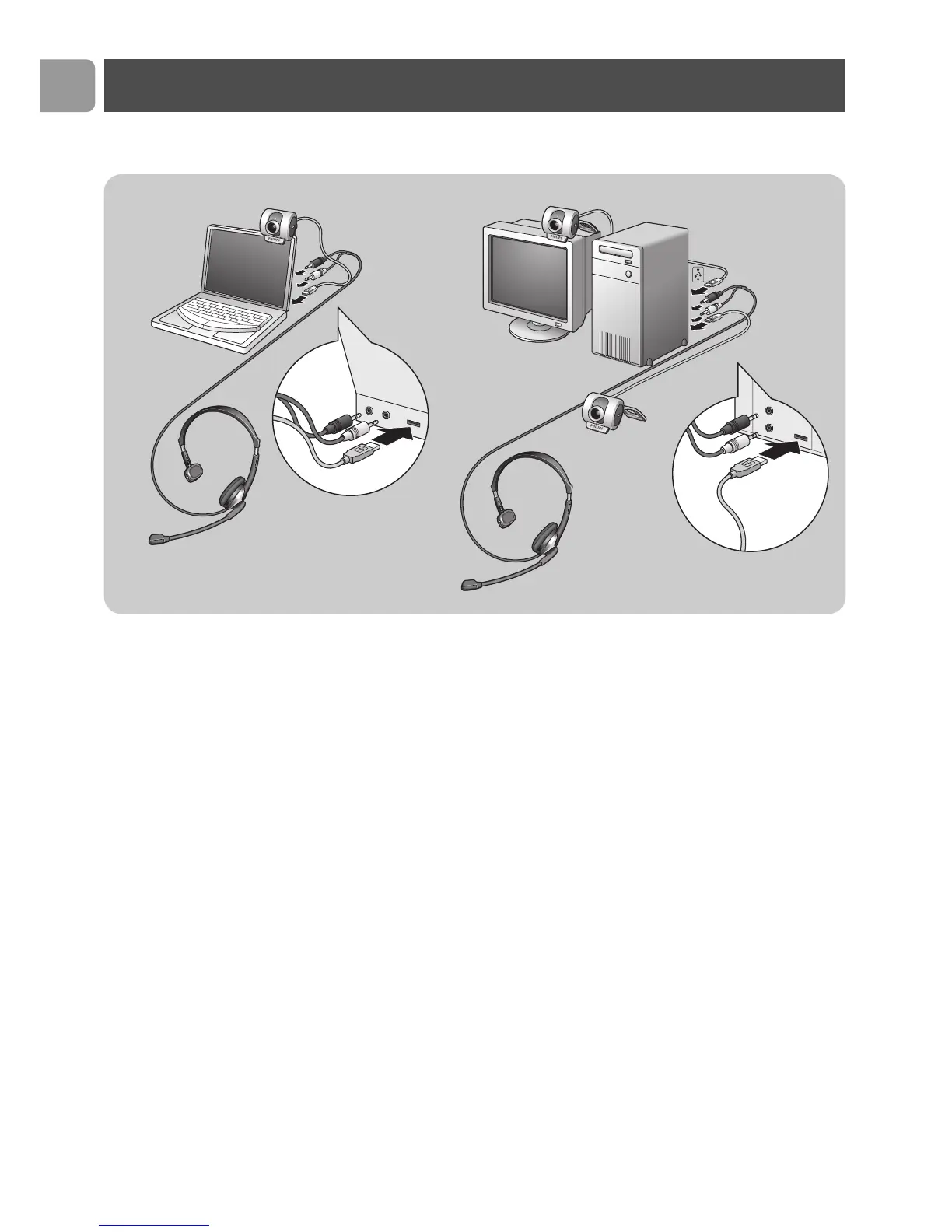
Connecting the WebCam to your PC /
laptop
1 Be sure to run the installation CD first, before connecting the
WebCam to the PC / laptop.
2 Turn on the PC / laptop.
3 Connect the USB connector of the USB cable to the USB port
of the PC / laptop.
>
The
WebCam
will now derive its power from the PC / laptop.
4 Use the clamp and the two rubber rims to attach the WebCam
to your PC monitor or laptop screen or fold out the clamp and
place the camera on your desk.
5 Connect the headset audio cable to the sound card of your
PC / laptop.
• Connect the black headphone plug (n) to the headphone
socket of the PC sound card.
• Connect the grey microphone plug (!) to the microphone or
green socket of the sound card.
Installation



 To Next Page