1
Get Started
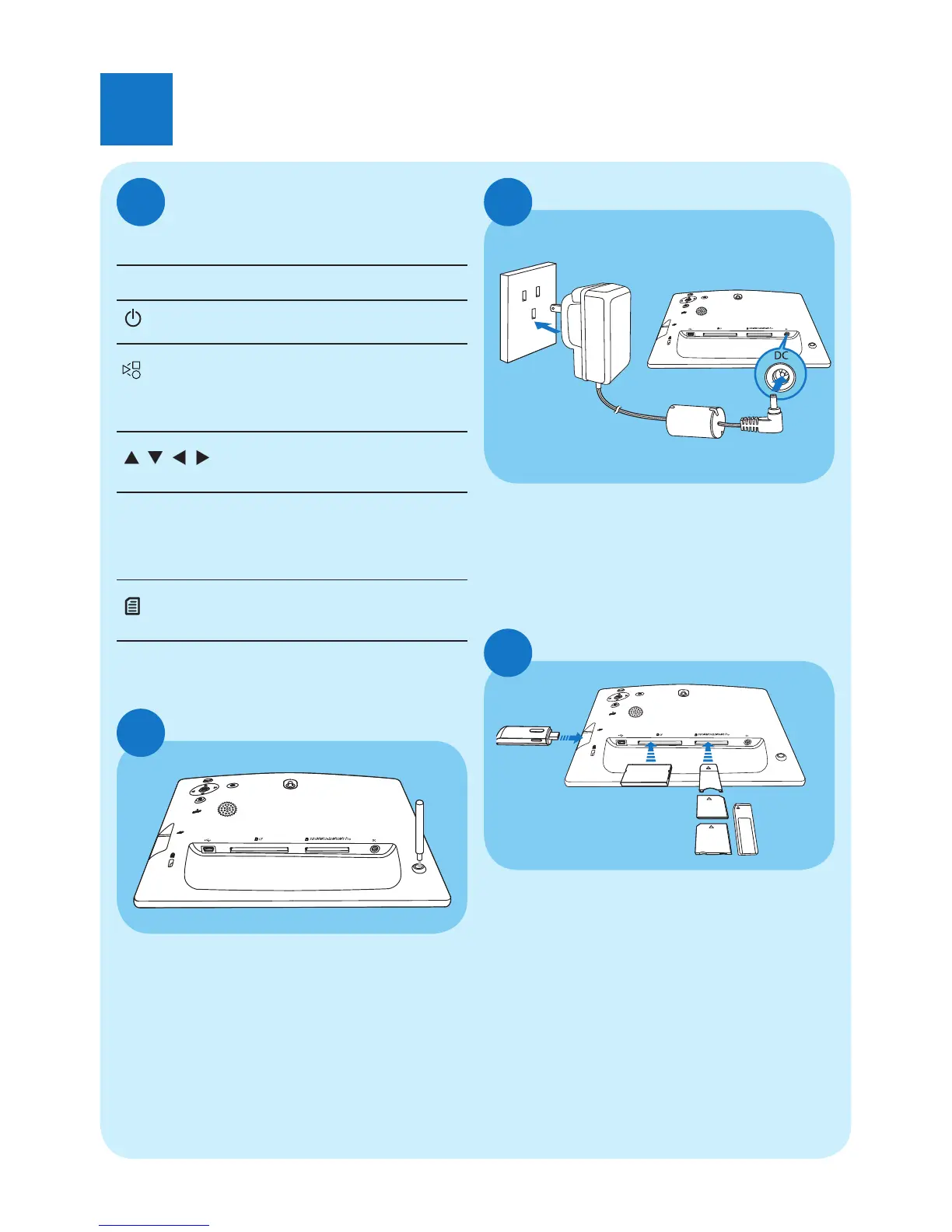
Install the stand
B
1 Insert the stand into the PhotoFrame.
2 Screw the stand into the stand hole
fi rmly.
Connect the power
C
1 Connect the power cord to the DC
socket of the PhotoFrame.
2 Connect the power cord to a power
supply socket.
a
b
Connect a storage device
D
Insert a storage device fi rmly.
• Compact Flash type I
• Secure Digital (SD)
• Secure Digital (SDHC)
• Multimedia Card
• Multimedia + Card
• xD card
• Memory Stick
• Memory Stick Pro (with adaptor)
• USB memory drive
Control buttons
Button Function
Turn on/off the PhotoFrame
Play slideshow/music/video
Change mode for slideshow
(For photo/video) Zoom in
/ / /
Select the previous/next/
right/left item
OK (For music/video) Pause or
resume play
Confi rm a selection
Enter the main menu
(For photo/video) Zoom out
Install the stand
A



 To Next Page