10
6 Properties
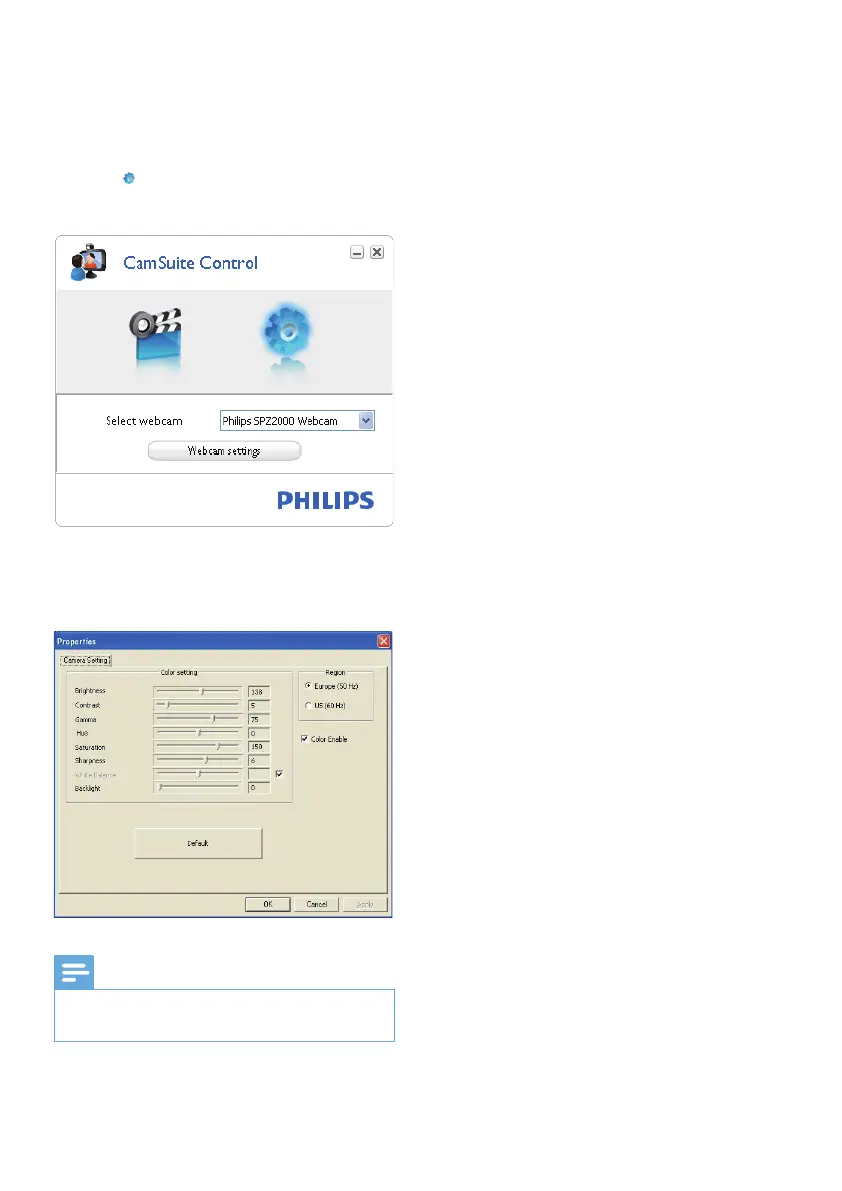
1 In the Philips CamSuite control panel,
click .
2 Click the [Webcam settings] button.
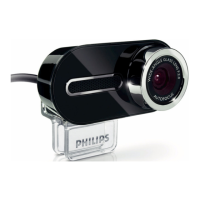
The » [Properties] window is displayed.
3 In the [Properties] window, adjust the
color settings available for SPZ2000.
Note
The Property screen above can be seen after •
you have installed the webcam software.
EN



 To Next Page