1
9 Service and support 14
Need help? 14
Information to the customer 14
Safety precautions 14
Copyright 14
Disclaimer 14
FCC compliance 15
Compliance with Electro-Magnetic Field
(EMF) 15
Recycling 15
Limitations of damages 16
Contents
1 Your webcam 2
Welcome 2
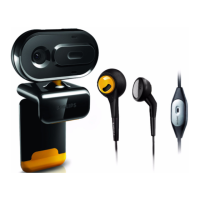
What’s in the box 2
Functional overview 3
2 Get started 4
(Optional) Install the webcam software 4
Connect the webcam to your PC/notebook 4
3 Use the webcam for video chatting 5
4 Philips CamSuite 6
5 Philips CamSuite Capture 7
Take and view a photo 7
Record and play a video 7
Image resolution 7
Screen mode 8
Gallery 8
Open the photo/video folder 8
Photo/Video menu 8
Send photo(s)/video(s) via email 9
Delete photo(s)/video(s) from the
gallery 9
6 Properties 10
7 Technicalspecications 11
8 Frequently asked questions (FAQ) 12
How can I adjust image quality? 12
The microphone of my Philips SPZ2000
webcam does not work (properly). What
should I do? 12
Using my Philips SPZ2000 webcam makes
my PC/notebook run slow. What should I
do? 13
No image is available on the screen. What
should I do? 13
English
EN


 To Next Page