3. Keys and functions
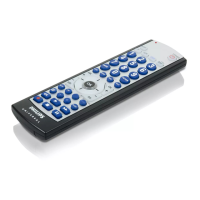
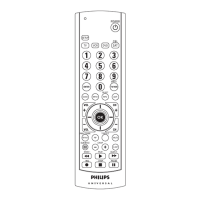
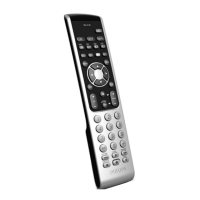
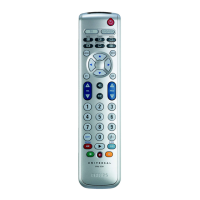
The illustration on page 3 gives an overview of all keys and their functions.
TV keys
3 4 - VOL + . . . . . . . . . . . adjusts the TV volume.
2 s . . . . . . . . . . . . . . . . . mutes the sound of the TV.
™ A/V . . . . . . . . . . . . . . . switches between external inputs of your
equipment.
( ) - PROG + . . . . . . . . . selects a previous or following channel.
¡ . . . . . . . . . . . . . . . . selects wide screen TV.
£ TV. . . . . . . . . . . . . . . . switches TV on and off.
DVD keys
! DVD . . . . . . . . . . . . . . switches DVD on and off.
7 DISC MENU. . . . . . opens disc menu.
5 & Cursor keys. . . . . . . cursor up, down in a menu.
6 * Cursor keys. . . . . . . cursor left, right in a menu.
8 MENU . . . . . . . . . . . . turns the menu on and off.
9 5 . . . . . . . . . . . . . . . . . - rewind
$ 2 . . . . . . . . . . . . . . . . . - play
0 9 . . . . . . . . . . . . . . . . . - stop
@ ; . . . . . . . . . . . . . . . . . . - pause
# 6 . . . . . . . . . . . . . . . . . - wind
% OK . . . . . . . . . . . . . . . confirms your selection.
^ BACK. . . . . . . . . . . . . jumps back one level in the menu or turns
off the menu.
General
1 LED
• If the device does not respond at all, or not to all of the key
commands, follow the instructions under ‘Setting the remote
control’. It is possible that you must enter another code for the
device.
9ENGLISH


 To Next Page
 Loading...