EasyManua.ls Logo

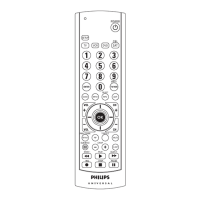
Philips SRU5040/55 - User Manual

Philips SRU5040/55
22 pages
Go to English
Print Icon
To Next Page IconTo Next Page
Loading...
SRU5040/55
Owner’s manual
Portuguese/Spanish/English
SRU5040/55_h14522_170907

Questions and Answers

  • M
    Mark OrrJul 30, 2025
    What to do if red indicator blinks after I program a product code on my Philips SRU5040/55?
    • E
      Erik FryJul 30, 2025
      If the red indicator on your Philips Remote Control blinks after programming a product code, this means the remote didn't accept the code. Try programming the code again or use a different code.
  • T
    tchapmanAug 13, 2025
    How to fix Philips SRU5040/55 Remote Control that does not operate some features?
    • D
      Donna ThomasAug 13, 2025
      If your Philips Remote Control doesn't operate some features of your product, you can try programming the remote with a new code. Keep in mind that the remote might not be able to operate all features, or the button names could be different from your product's.

Summary

Introduction

Button Functions

Setup

Battery Installation

Instructions for installing batteries into the remote.

Code Setup

Overview of setting up the remote using codes for products.

Direct Code Entry

Method to enter 4-digit codes directly from tables.

Code Search

Procedure to search for product codes when brand is unknown.

Sleep Timer

How to set the remote to turn off the TV after a specified time.

Volume;Mute Control

Selecting which device controls volume and mute functions.

TV;VCR;INPUT Functionality

Function of the TV/VCR/INPUT button for different modes.

Troubleshooting

Limited Lifetime Warranty

Philips SRU5040/55 Specifications

General IconGeneral
BrandPhilips
ModelSRU5040/55
CategoryRemote Control
LanguageEnglish

Related product manuals