EasyManua.ls Logo

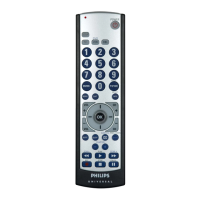
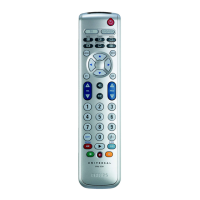
Philips SRU5030/55 - User Manual

Philips SRU5030/55
22 pages
Go to English
Print Icon
To Next Page IconTo Next Page
Loading...
Portuguese/Spanish/English
SRU5030/55
Owner’s manual
SRU5030/55_h14521_170907

Questions and Answers

  • M
    Meagan FordJul 31, 2025
    What to do if Philips SRU5030/55 Remote Control does not operate my product?
    • A
      amanda74Jul 31, 2025
      If your Philips Remote Control isn't operating your product, try these steps: * First, press the mode button for the specific product you're trying to control. * If that doesn't work, program the remote with a new code. * Also, install new batteries; remember you might need to reprogram the remote afterward. Keep in mind that the remote might not be fully compatible with your product.
  • S
    Sara WebbAug 10, 2025
    Why Philips SRU5030/55 does not operate some features of my product?
    • C
      Cindy MorrisAug 10, 2025
      If your Philips Remote Control doesn't operate some features of your product, try programming the remote with a new code. It's possible that the remote can't operate all the features of your product, or the button names might differ.
  • J
    Jesse EdwardsAug 19, 2025
    What to do if the red indicator blinks after programming a product code on my Philips SRU5030/55?
    • E
      Erica WashingtonSep 12, 2025
      If the red indicator blinks after you program a product code on your Philips Remote Control, it means the remote didn't accept the code. Try programming the code again or use a different code.

Summary

Introduction to Philips Universal Remote

Understanding Remote Button Functions

Power, Mode Selection, and Input Controls

Covers power, device selection (TV, VCR, CBL, DVD), and input source management.

Numeric, Navigation, and Information Features

Details number input, channel selection, menu navigation, and on-screen information display.

Audio, Media Playback, and Special Functions

Manages volume, mute, sleep timer, closed caption, channel return, and playback controls.

Remote Indicator Light

Explains the function of the red indicator light during button presses.

Remote Setup and Configuration

Battery Installation and Saver

Instructions for inserting batteries and details on the auto-off battery saver feature.

Default Power-On Mode

Specifies that the remote defaults to TV mode upon powering on.

Code Setup Overview

Introduction to programming the remote using product-specific codes.

Direct Code Entry Method

Code Search and Brand Search Procedures

Code Search Steps

Procedure for searching for compatible codes when brand codes are unknown.

Brand Search Method

Steps to search for codes specific to a manufacturer's brand list.

Advanced Code Identification and Sleep Timer

Code Identification Feature

Method to identify the 4-digit library code stored for a device.

Setting the Sleep Timer

Instructions for programming the remote to turn off the TV after a set time.

Programming Combo Devices and Power Control

Programming Combo Device Codes

Guide for setting up two codes for combo devices like DVD/VCR.

Controlling Devices Requiring Separate Power

How to manage devices with separate power-on and power-off buttons.

Punch-Through Features for VCR and Volume Control

VCR;DVD;DVR Punch-Through

Enables transport controls (play, stop, etc.) to work across different modes.

Volume;Mute Control Punch-Through

Allows volume and mute buttons to control a specific device's audio.

Volume;Mute Control Settings

Setting All Modes to One Volume;Mute Control

Assigns Volume/Mute control to a single chosen mode for all other modes.

Setting Individual Mode Volume;Mute Control

Configures each mode to use its own independent Volume/Mute functions.

Troubleshooting Common Issues

Remote Not Operating Product

Solutions for when the remote fails to control the product.

Remote Not Operating Features

Troubleshooting for when specific product features are not controllable.

Red Indicator Blinking After Programming

Guidance for when the remote indicator blinks, indicating a programming error.

Limited Lifetime Warranty Information

Philips SRU5030/55 Specifications

General IconGeneral
BrandPhilips
ModelSRU5030/55
CategoryRemote Control
LanguageEnglish

Related product manuals