6 EN
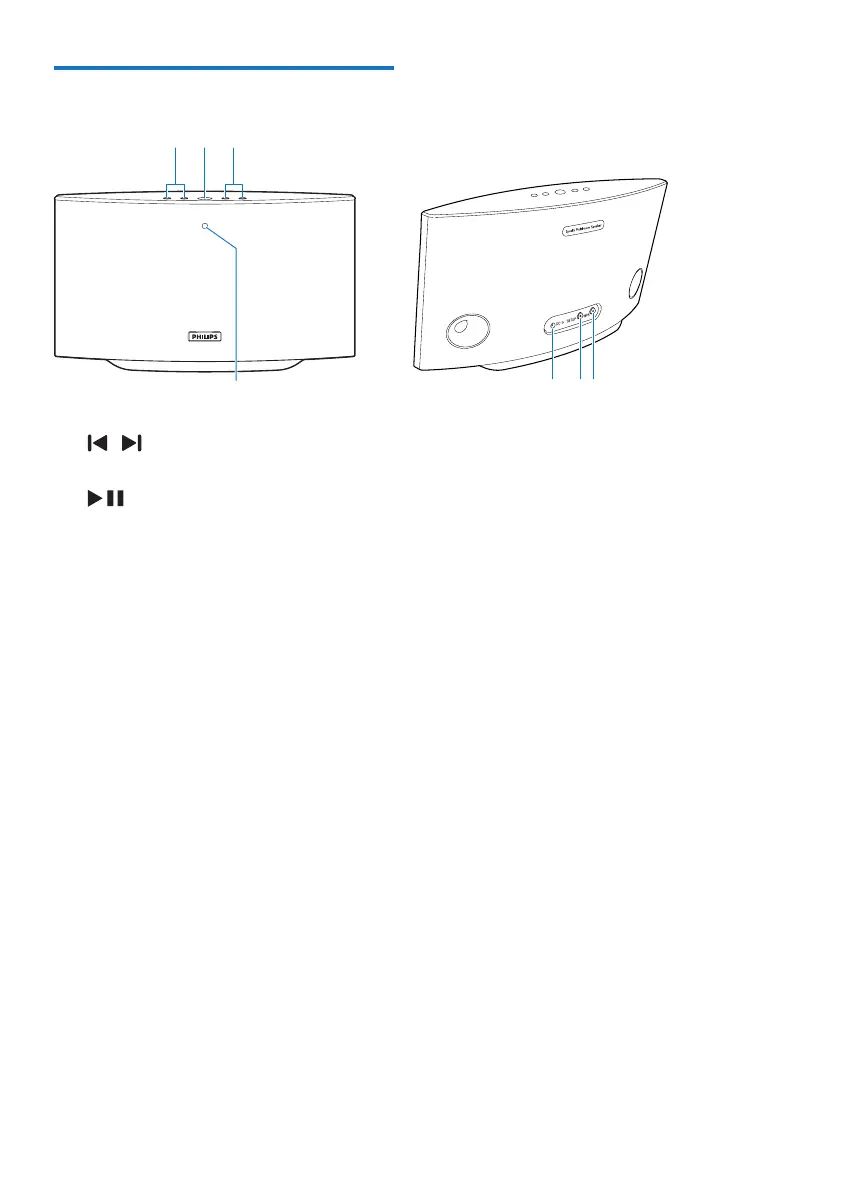
Overview of the main unit
a /
• Skip to the previous/next song.
b
• Start or pause music play.
c +/-
• Adjust volume.
d System status indicator
• Show the current status of the speaker.
e DC IN
• Connect the power adaptor.
f SETUP button/indicator
• Enter App-Assisted Wi-Fi Setup mode
for connection of the speaker to a
Wi-Fi network.
• Show the Wi-Fi setup status.
g WPS button/indicator
• Enter WPS Setup mode for connection
of the speaker to a Wi-Fi network.
• Show the Wi-Fi setup status in WPS
mode.
abc
fg



 To Next Page