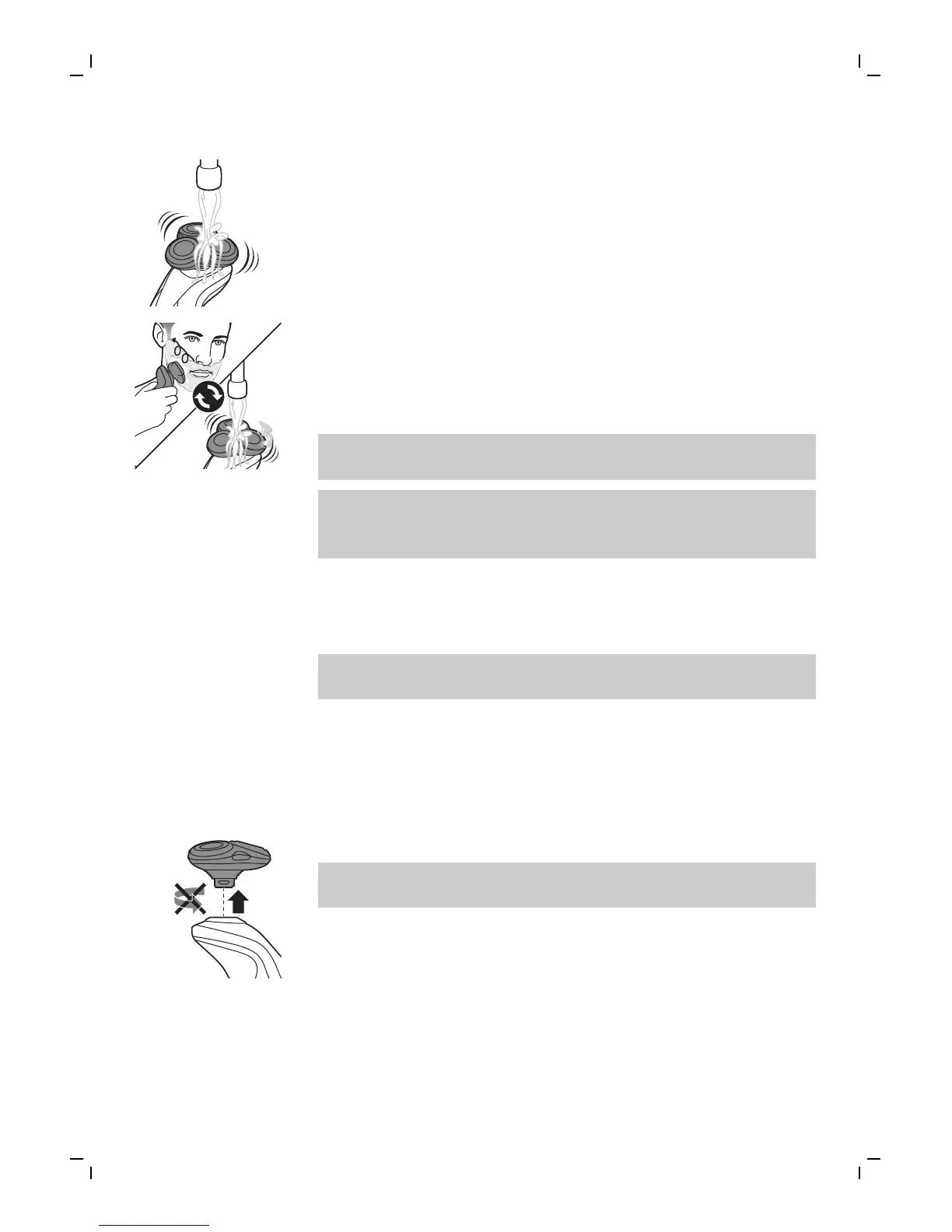
3 Rinse the shaving unit under the tap to ensure
that the shaving unit glides smoothly over your
skin.
4 Switch the shaver on.
5 Move the shaving heads over your skin in
circular movements to catch all hairs growing in
different directions. Exert gentle pressure for a
close, comfortable shave.
Note: Do not press too hard, this can cause skin
irritation.
Note: Rinse the shaving unit regularly to ensure
that it continues to glide smoothly over your
skin.
6 Dry your face.
7 Switch off the shaver and clean it after each
use.
Note: Make sure that you rinse all foam or shaving
gel off the shaver.
Using the click-on attachment
Removing or attaching the click-on attachment
1 Make sure the shaver is switched off.
2 Pull the attachment straight off the shaver.
Note: Do not twist the attachment while you
pull it off the shaver.
15
English



 To Next Page