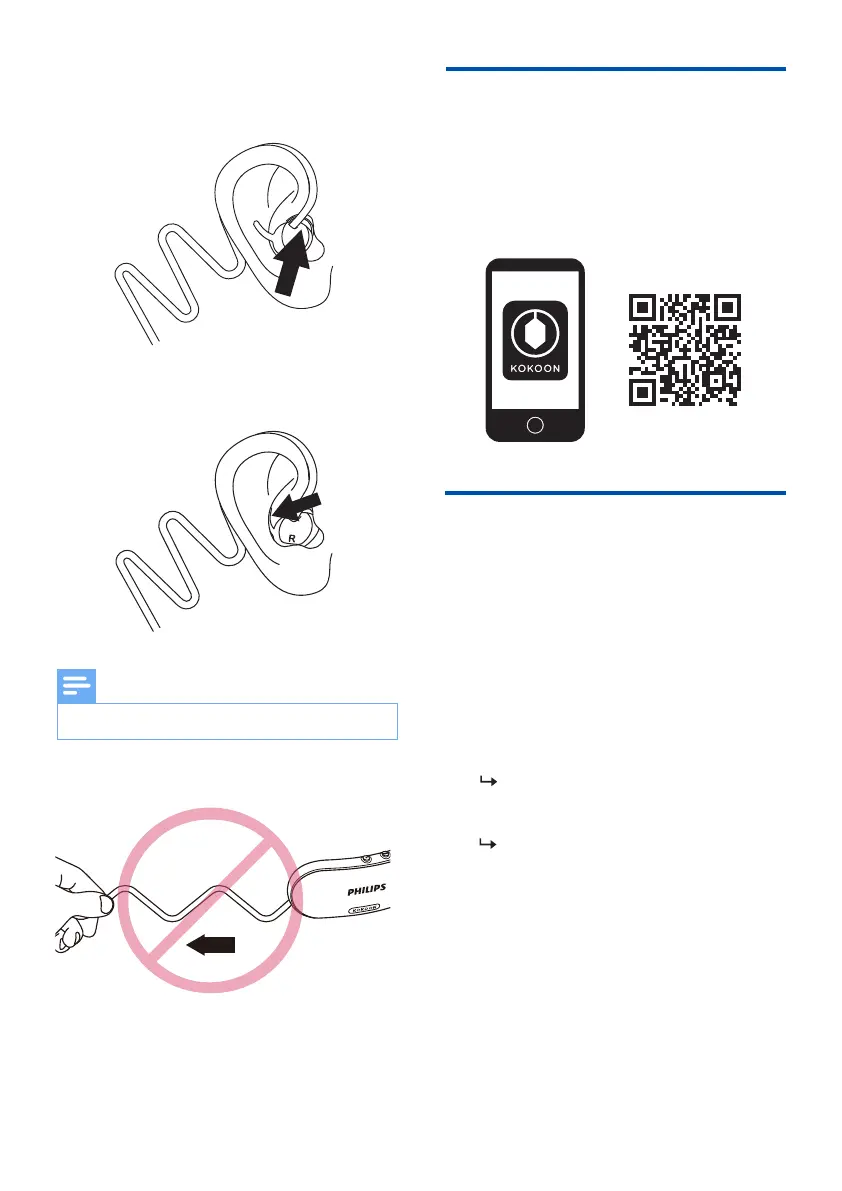
Don't overstretch the cable.
Note
7 EN
Pair the headphones with
your Bluetooth device for
the �rst time
3
Insert the earpieces into the ears
achieved.
4
blue.
The headphones are now in
pairing mode and ready to pair
with a Bluetooth device.
(e.g. a mobile phone)
1
2
Make sure that the headphones are
Press MFB for ~5 seconds to power
on, it will be in pairing mode and
ready to connect.
Scan the QR code/press 'Download the
Kokoon App'. Our headphones and the
Kokoon app work together to deliver the
best sleep experience.
App download
Turn on the Bluetooth function of
your Bluetooth device.
Pair the headphones with your
Bluetooth device, refer to the user
manual of your Bluetooth device.
3
4


 To Next Page