EN 9
Connect audio from TV and
other devices
Option 1: Connect audio through a
HDMI cable
Best quality audio
HDMI (ARC)
HDMI (ARC)
1
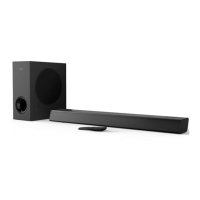
Using a HDMI cable connect the HDMI
connector on your SoundBar to the HDMI
OUT or other device.
Option 2: Connect audio through a
digital optical cable
Best quality audio
OPTICAL
DIGITAL IN
OPTICAL
DIGITAL IN
OPTICAL OUT
OPTICAL OUT
OPTICAL
DIGITAL IN
1
Using an optical cable, connect the
OPTICAL connector on your SoundBar to
the OPTICAL OUT connector on the TV
or other device.
• The digital optical connector might be
labeled SPDIF or SPDIF OUT.
Option 3: Connect audio through a
3.5mm stereo audio cable
Basic quality audio
AUX
AUX
1
Using a 3.5mm stereo audio cable, connect
the AUX connector on your SoundBar to
the AUX connector on the TV or other
device.


 To Next Page