EN6
Remote control
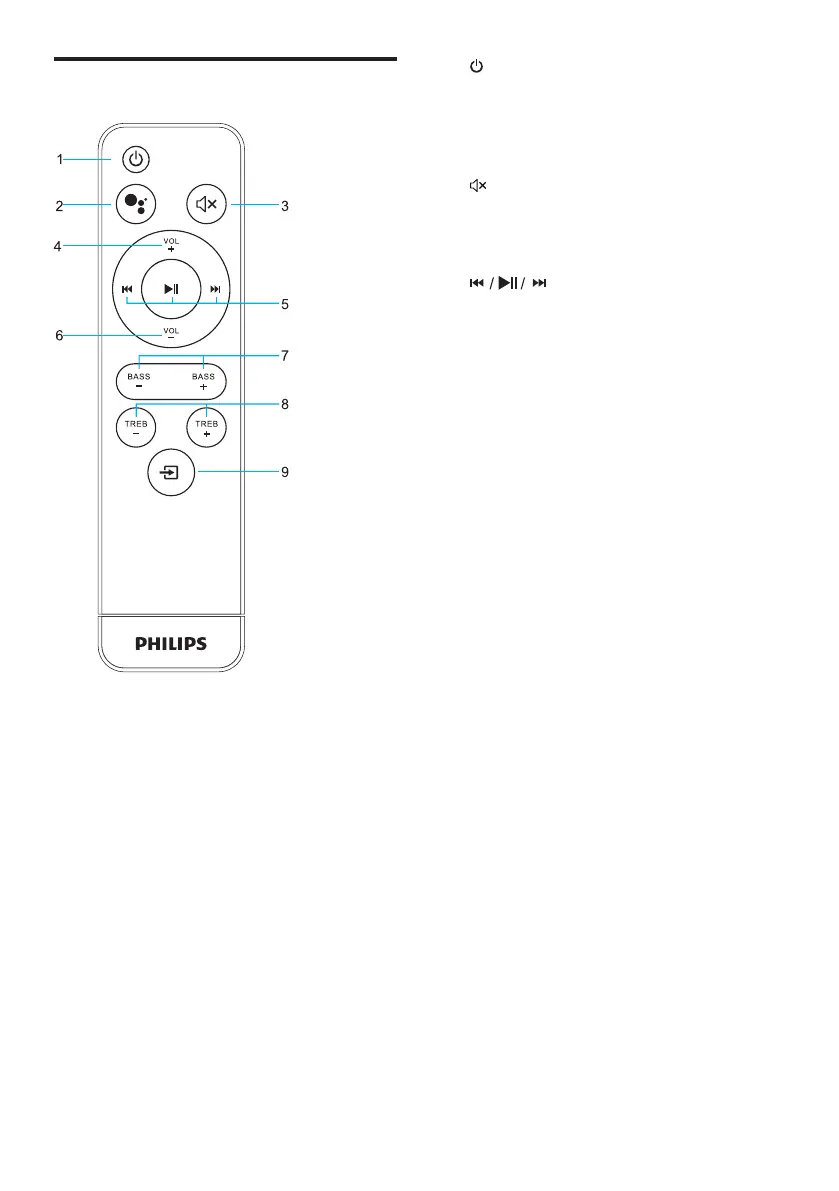
1. Button
Switches the unit between ON and OFF
modes.
2. Push to Talk
Press to enable push to talk function.
3. Button
Mutes the unit or resumes the sound.
4. VOL + Button
Increase the volume.
5.
Short press to control music playback: prev,
track, pause / play, next track.
6. VOL - Button
Decrease the volume.
7. BASS Button
Increase or decrease BASS volume.
8. TREB Button
Increase or decrease treble volume.
9. SOURCE Button
Short press to change source:
HDMI,BLUETOOTH,OPTICAL,AUX


 To Next Page