EasyManua.ls Logo

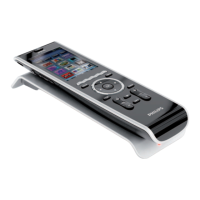
Philips TSU9400 User Manual

Philips TSU9400
14 pages
To Next Page IconTo Next Page
Page #1 background imageLoading...
Page #1 background image
TSU9400
Starter’s Guide
Using the Control Panel
EN

Questions and Answers:

Philips TSU9400 Specifications

General IconGeneral
Depth2.5 mm
Width8.4 mm
Height200 mm
Weight0.285 g
1.035 gWeight of the packaged product in gram.
Quantity1
Maximum range36 m
Package depth207 mm
Package width352 mm
Warranty cardNo
Package height85 mm
Battery capacity1.700 mAh
Display diagonal3.5 \
Dimensions (WxDxH)157 x 100 x 34 mm
Display resolution320 x 240 pixels
Package tare weight0.386 g
Processor frequency266 MHz
Packaging tare weight0.386 kg
Quantity outer carton1 pc(s)
Optical drive requiredYes
Width (cm) outer carton21.8 cm
Height (cm) outer carton10.1 cm
Learning frequency range25 - 1 kHz
Length (cm) outer carton35.8 cm
Net weight of outer carton0.649 kg
Minimum storage drive space250 GB
Case or master carton weight1.360 kg
Display resolution (numeric)320 pixels
Gross weight of outer carton1.035 kg

Summary

Getting to Know Your Pronto Control Panel

Charging the Control Panel

Enjoying Your Pronto Control Panel

Controlling Your Home Theatre

Guide on how to control your home theatre system using the control panel.

Operating the Control Panel

Turning the Control Panel On/Off

Changing the Pronto Settings

Support

Maintaining the Control Panel

Care instructions to prevent damage to the touch screen and protect from temperature.

Troubleshooting

Specifications

FCC Compliancy

Safety instructions

Regulations According to R&TTE

Declaration of Conformity (DoC)

Related product manuals