General Troubleshooting Guide
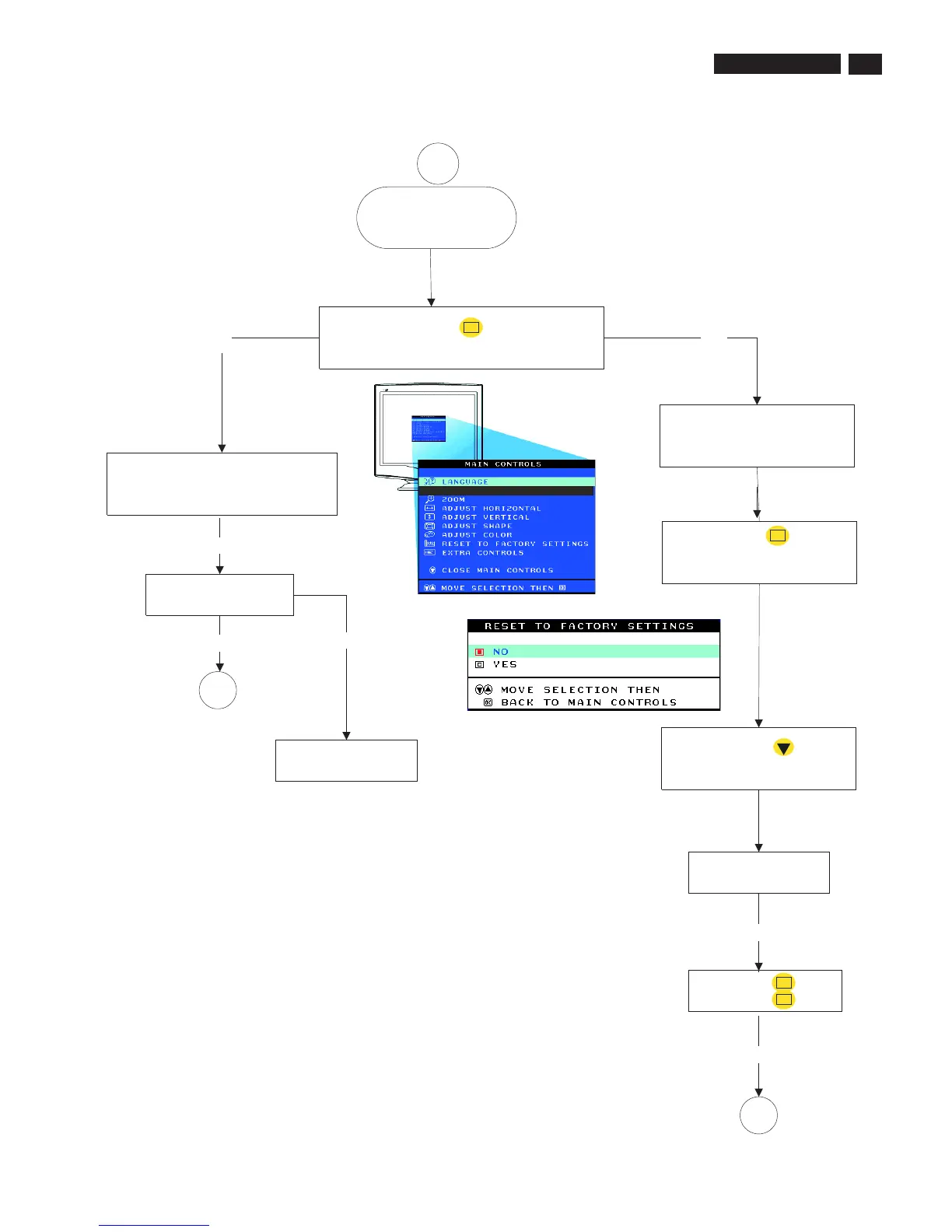
Press the OK button
Bring up "MAIN CONTROLS" window
It is need to check and
repair the monitor.
NO
YES
OK
Select "RESET TO FACTORY
SETTINGS"
Press the OK button
Bring up "RESET TO FACTORY
SETTINGS" window
OK
Make sure of the signal cable connection.
Make sure of the state of the computer
(Turn on).
Press the keyboard or operate the mouse.
Is picture displayed
normally?
END
NO
Picture is too bright
or dark
YES
YES
END
Is picture displayed
normally?
YES
Press the DOWN button
to select "YES"
Press the OK button
Press the OK button
OK
OK
YES
2
89
9
Go to cover page
107T5










 To Next Page