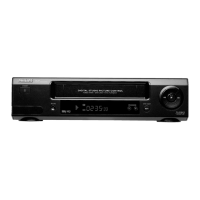
Tuner mode
You can also use your video recorder as a TV receiver (tuner).
1 Hold the STOP h button, until +appears in the display.
2 Select the required programme number with the P r or
P q button or with the 0-9 buttons.
3 Switch the video recorder to standby by pressing the
STANDBY m button when you no longer want to watch
television.
Externally controlled recording
Do you have another device, e.g. a satellite receiver, which
can control other equipment by a ’programming’ function? You
can connect this device to the video recorder with a scart
cable, at socket EXT.2 .
1 Insert a cassette. Switch to standby with
the STANDBY m button.
2 Hold the MONITOR button until ’REC.P’ appears in the
display.
3 If you want to interrupt this function before the recording
has actually started, hold the MONITOR button until
’REC.P’ disappears from the video recorder display.
4 If you want to interrupt this function while a recording is
being made, press the STANDBY m button.
On Screen Display (OSD)
You can switch the On Screen Display (OSD) on or off.
1 Switch on the TV set. Press the AUTOINSTALL button on
the video recorder.
2 With the P q or P r button, select ’OSD’. Confirm with
the OK button.
3 With the P q button, select ’ON’ or ’OFF’. Confirm with
the OK button.
Note: With the OK button you can superimpose the actual
operating mode on the TV screen.
Channel number or frequency display
You can switch between the display for ’channel number’ or
’frequency’ for manual channel search.
1 Press the AUTOINSTALL button.
2 With the P q or P r button, select
’CHANNEL/FREQUENCY’. Confirm with the OK button.
3 With the P q button. select ’CHANNEL’ or ’FREQUENCY’.
Confirm with the OK button.
4. SPECIAL FEATURES
11


 To Next Page