Continuous playback
You can continuously repeat the replay of a cassette. When
the end of the tape has been reached, it rewinds and begins
again.
1 Press the PLAY G button.
2 Whilst holding down the MONITOR button on the remote
control, press the PLAY G button on the video recorder.
In the display appears:
REP
3 If you want to cancel the function, repeat step 2 .
Note: No other button will react during continuous
playback. After a power failure, playback will automatically
start again.
Eliminating picture interference/
Cleaning function
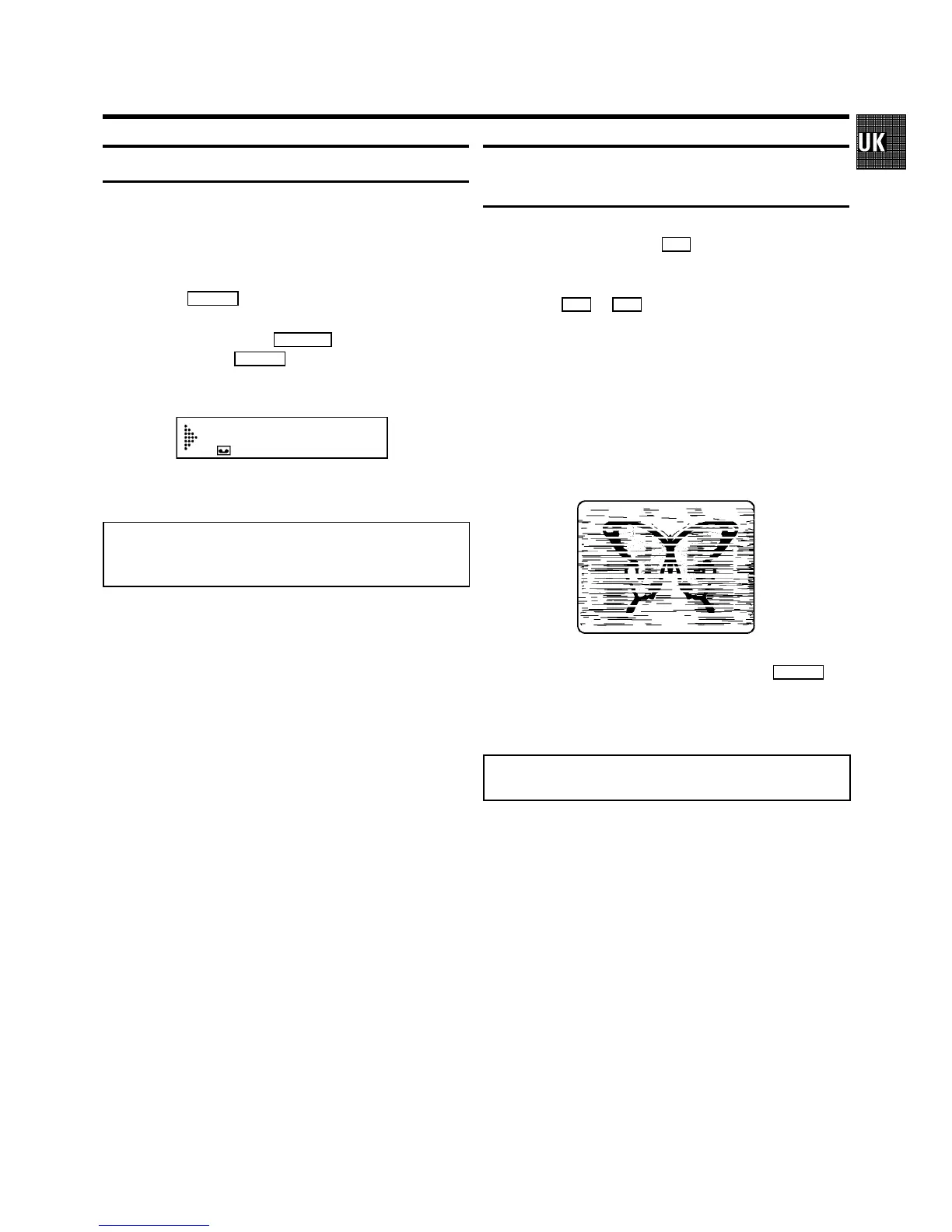
1 During playback, hold the P q button until ’TRAC’(track-
ing) appears in the display.
2 Hold the P q or P r button until the playback quality is
at its best.
3 Wait a few seconds, until ’TRAC’ disappears from the
display. This setting will remain until you remove the
cassette.
4 If horizontal lines still appear on the screen, use the
Cleaning function:
Cleaning function: During playback, hold the PLAY G
button until ’HEAD’ (video head cleaning) appears in the
display. The video heads are being cleaned. The video
recorder automatically switches back to playback.
Note: Some hired cassettes may have a poor picture/sound
quality. This is not a fault in your video recorder.
7


 To Next Page