Preparation for use
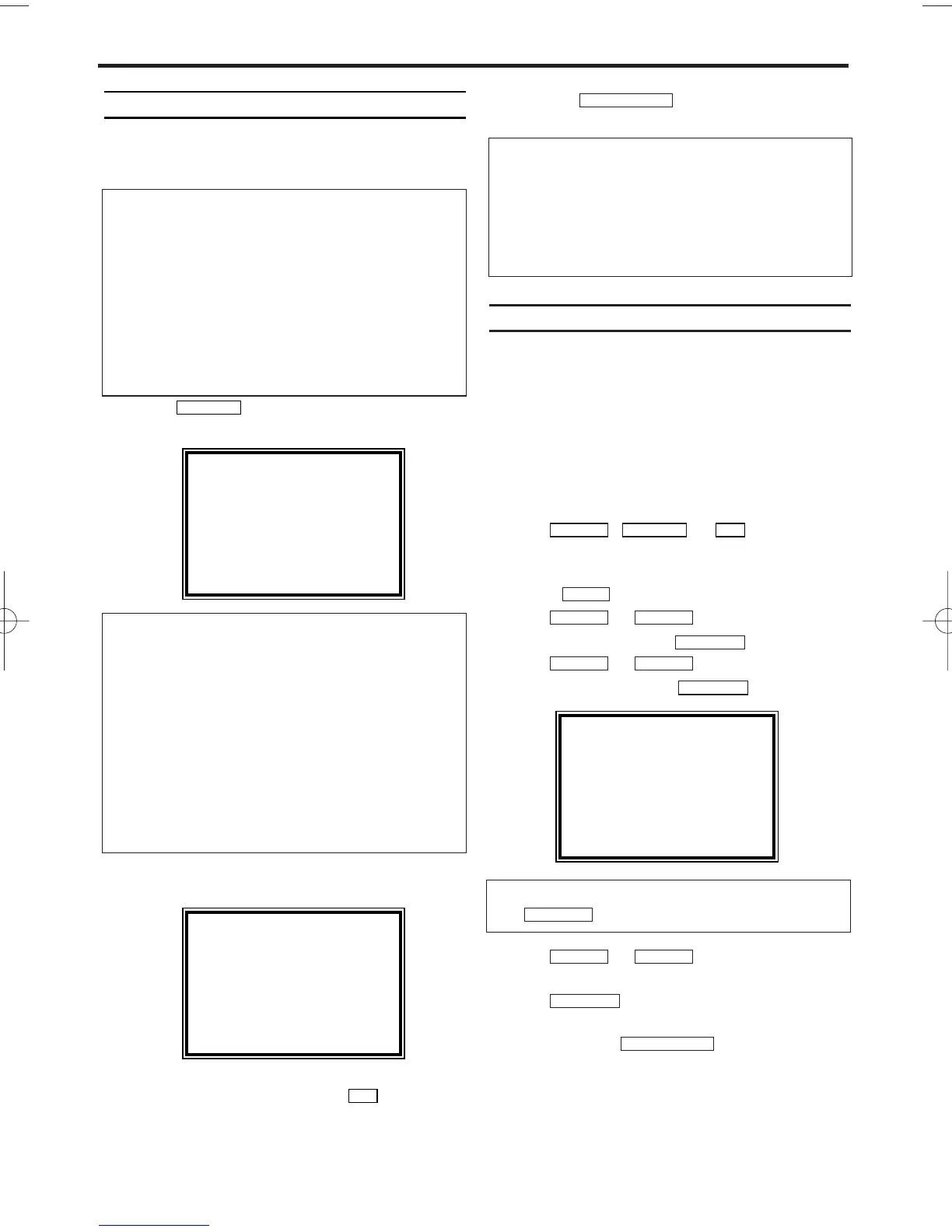
This chapter shows you how to start the video
recorder for use. The video recorder automatically
seeks out and stores all available TV channels.
1
1
.
.Press
.
The automatic channel search starts.
2
2
.
.'TIME' and 'DATE' will appear on the TV
screen.
3
3
.
.Check 'TIME'. If required, please change the
time with the number buttons .
4
4
.
.Check if the displayed settings for 'DAY',
'MONTH' and 'YEAR' are correct.
5.
5.When all information is correct, save by
pressing .
The preparation for use is now complete.
Decoder allocation
Some TV channels transmit encoded TV signals
which can only be viewed with a purchased or
rented decoder. You can connect such a decoder
to this video recorder. The following function will
automatically activate the connected decoder for
the desired TV channel.
1.
1.Switch the TV on. If applicable, select the
programme number for the video recorder
operation.
2.
2.Use , or to select the
TV channel which you would like to allocate
the decoder to.
3.
3.Press . The main menu will appear.
4.
4.Use or to select 'TUNER
SET UP'. Then press .
5.
5.Use or to select 'MANUAL
TUNING'. Then press .
6.
6.Use or to select
'DECODER'.
7.
7.Use to select 'ON'
(Decoder switched on).
8.
8.To end, press .
The decoder has now been allocated to this TV
channel.
STATUS/EXIT
FWD 1-B
STOP C-LPLAY B-K
FWD 1-B
STOP C-LPLAY B-K
FWD 1-B
STOP C-LPLAY B-K
MENU
0..9
STOP C-LPLAY B-K
STATUS/EXIT
0..9
PROG P+
'Aim' correctly
In the following sections, you require the remote
control for the first time. When using, always
aim the front of the remote control at the video
recorder and not at the TV.
Connecting additional devices
After you have connected additional devices
(satellite receiver, etc.) through the aerial cable,
switch them on. The automatic channel search
will recognise them and save them.
TIME --:--
DATE --/--/--
END=EXIT
2. Installing your video recorder
MANUAL TUNING
PROG. P55
CHANNEL 055
→DECODER [OFF]
SKIP [OFF]
SELECT
KL CHOOSE B
END=EXIT
How can I switch off the decoder?
Use to select 'OFF' (Decoder switched off).
FWD 1-B
PLEASE WAIT
START FINISH
❚❚❚❚❚❚❚❚❚❚❚
❚❚❚❚❚❚❚❚❚❚❚❚
The video recorder does not find any TV
channels during the search
* Select channel 1 on the TV. Can you see the
saved TV channel on the TV?
If not, check the cable connection of the aerial
(aerial socket), video recorder, TV.
* The video recorder searches the entire fre-
quency range in order to find and save the
largest possible number of TV channels. It is pos-
sible that the TV channels in your country are
broadcast in a higher frequency range. As soon
as this range is reached during the search, the
video recorder will find the TV channels.
Satellite receiver
If you are connecting a satellite receiver, please
read the section 'Using the satellite receiver'.
Decoder
If you are connecting a decoder, you must
install it as described in the next section.
4
EN


 To Next Page