VCR PLUS+ PROG.
PLUS CODE : – – – – – – – –
TO END PUSH EXIT
2
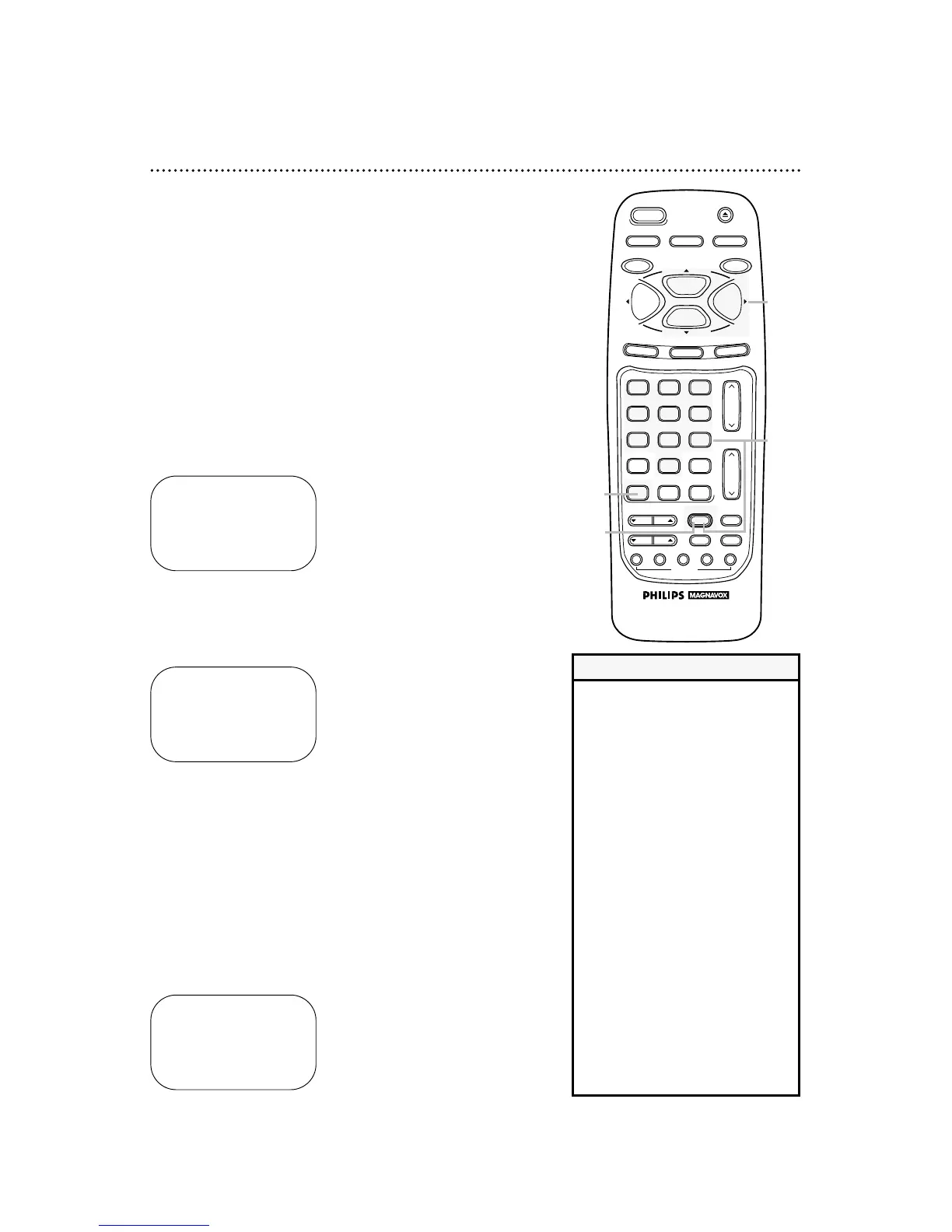
Press the VCR PLUS+/ENTER button.
3
Press the Number buttons to enter the PlusCode pro-
gramming number of the program you wish to record.
Then, press the VCR PLUS+/ENTER button.
VCR PLUS+ PROG.
PLUS CODE : 13285 – – –
TO SET PUSH VCR+
TO CORRECT PUSH CLEAR
TO END PUSH EXIT
4
Press the PLAY/o button or the STOP/p button to select
a ONCE, DAILY, or WEEKLY recording. Then, press the
F.FWD/B button.
● ONCE: The VCR will record a TV program on any day you
choose, up to 12 months away.
● DAILY: The VCR will record the same channel every day from
Monday to Friday – starting at the same time and recording for
the same length of time.
● WEEKLY: The VCR will record the same channel on the same
day, at the same time, and for the same length of time every
week.
• CODE ERROR may flash on the
screen after step 3 if you enter an
incorrect PlusCode programming
number (for example, one that is too
short). The previous screen will
appear. Enter the correct PlusCode
programming number.
• If CLASH flashes on the screen after
step 3, the timer recording you just
programmed and another timer
recording overlap. The current timer
recording will not occur.
• If you select DAILY at step 4,
ERROR may flash on the screen if
the program you want to record is
broadcast on a Saturday or Sunday.
• If the VCR PLUS+ CROSS REF. MAP
reappears after step 3, the VCR
PLUS + channel number for the
recording you entered was higher
than 99. In this case, enter the cor-
rect CABLE/TV channel in the map.
Then, press the MENU button and
continue from step 4.
Helpful Hints
VCR PLUS+ PROG.
→ONCE
DAILY
WEEKLY
SELECT op CHOOSE B
TO END PUSH EXIT
1
Press the VCR button.
4
1
3
2
40 Timer Recording with the VCR Plus+ Programming System
Follow these steps to set a timer recording with the PlusCode
programming numbers in your TV guide. Before you begin:
● Set up the channels at the VCR (page 12).
● Set up the VCR Plus+ and Cable/TV channel numbers (pages
38-39).
● Set the clock (pages 15-18).
● Put a tape in the VCR.
● Make sure the VCR light appears on the display panel. If it does
not, press the VCR/TV button once.
Do each step within 60 seconds of the previous step.



 To Next Page