20 Language Selection
2
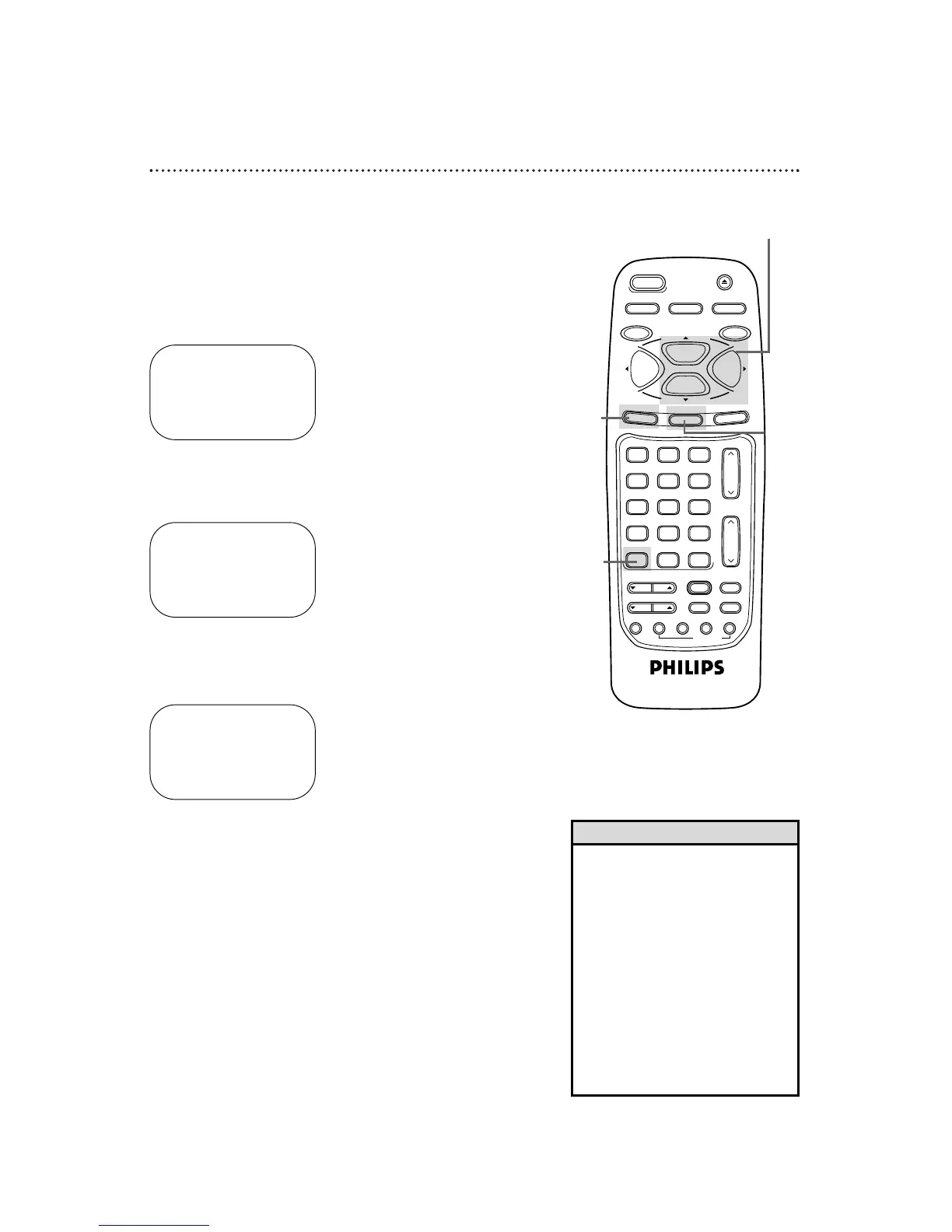
Press the MENU button.
Follow the steps below to change the language of the on-screen
displays and menus.
3
Press the PLAY/o button or the STOP/p button to select
VCR SET UP, then press the F.FWD/B button.
4
Press the PLAY/o button or the STOP/p button to select
LANGUAGE, then press the F.FWD/B button.
5
Press the PLAY/o button or the STOP/p button to select
English or Spanish on-screen displays and menus.
6
Press the STATUS/EXIT button.
SELECT op CHOOSE B
→ REPEAT PLAY OFF
ON SCREEN MODE
AUDIO OUT
LANGUAGE
VCR PLUS+ REF. MAP
BLUE BACKGROUND ON
TO END PUSH EXIT
• If you accidentally select Spanish
and need English:
1. Press the VCR button.
2. Press the MENU button.
3. Press the PLAY/o button or the
STOP/p button to select PREPARE
EL VCR, then press the F.FWD/B
button.
4. Press the PLAY/o button or the
STOP/p button to select LENGUA-
JE, then press the F.FWD/B button.
5. Press the PLAY/o button or the
STOP/p button to select ENGLISH.
6. Press the STATUS/EXIT button.
Helpful Hint
1
Press the VCR button.
SELECT op
→ ENGLISH ON
ESPAÑOL
MAKE SELECTION OR
TO END PUSH EXIT



 To Next Page