English
18
Basic functions
Switching to standby/on
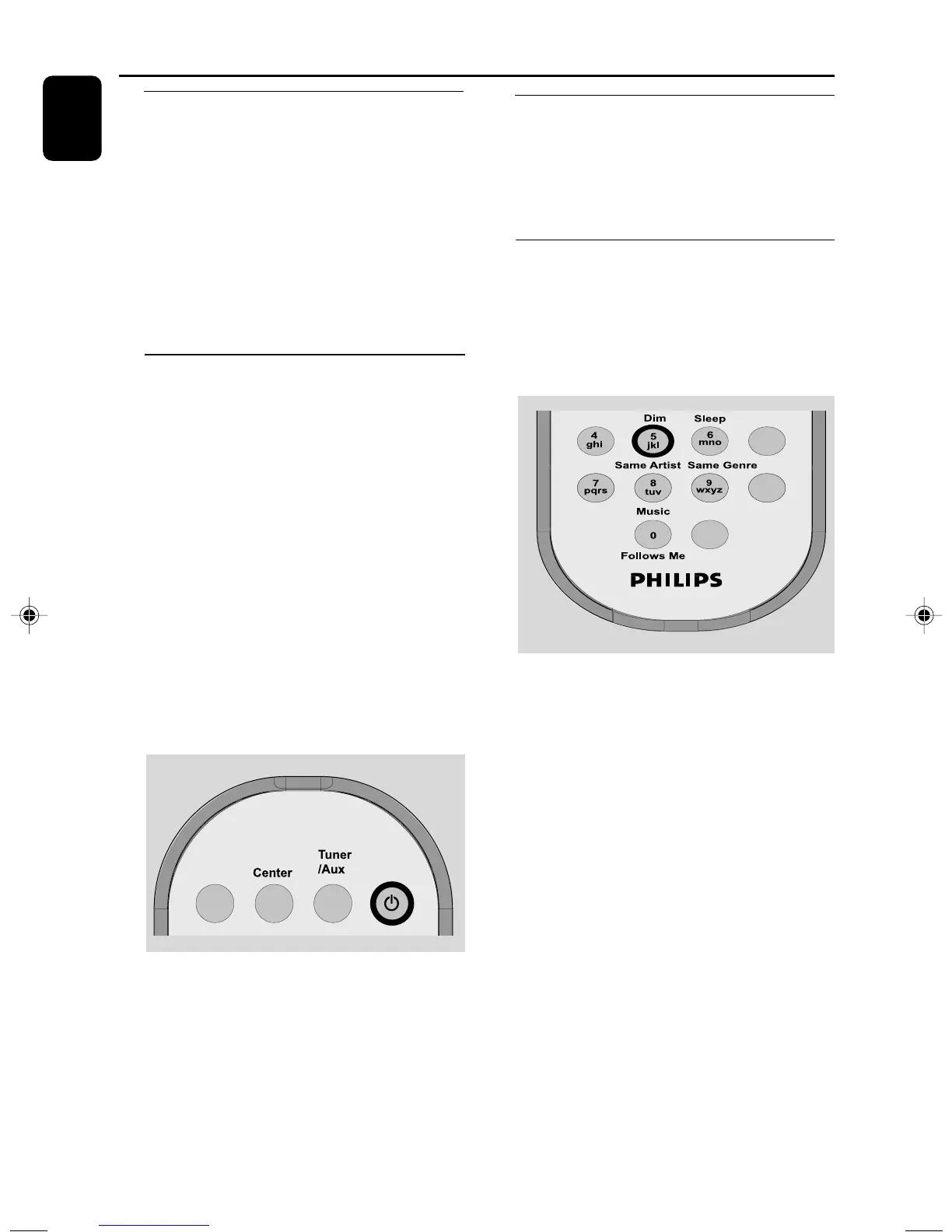
1 When the set is on, press STANDBY-ON/
ECO POWER to switch it to standby (or y
on the remote control)
➜ Display shows GoodBye
➜ The Red indicator lights up
➜ The screen dims out.
2 To switch on, press STANDBY-ON/ ECO
POWER (or y on the remote control)
➜ The set switches to the last source selected
Switching to power-saving mode
In the power-saving ECO POWER mode, the
set’s display and Wi-Fi connection are turned off.
1 When the set is on, press and hold STANDBY-
ON/ ECO POWER to switch it to Eco
power (or y on the remote control).
➜ The display is switched off
➜ The Red indicator lights up
2 To switch on, press and hold STANDBY-ON/
ECO POWER (or y on the remote control)
➜ The set switches to the last source selected
Helpful hints:
– In the standby/ECO POWER mode, the settings
of networking, display and language will be retained
in the set’s memory.
Auto-standby
● When the set has reached the end of playback/
recording and remains in the stop position for
more than 20 minutes, the set will switch to
standby automatically to save power.
Switching the blue indicator on/
off
The blue indicator lights up when the set is
switched on.
● On the remote control, press DIM to turn the
brightness on or off
p001-p025_WAS5_Eng_37 2/8/2006, 10:0018


 To Next Page