1
Soft keys
The soft keys L, R and , allow you to select
the options above them on the screen. Such
options are contextual: they vary according to
current context.
Main menu
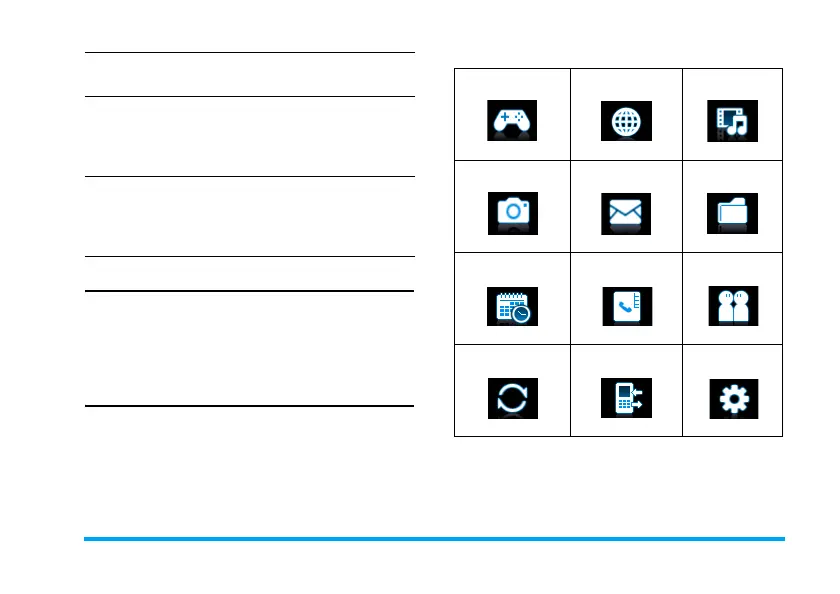
The main menu gives you access to all the different
features of your mobile phone. The table below
summarizes the functional icons on the main menu.
To find more information about their functions,
refer to the pages
.
Press
,
Menu on idle screen to access the main menu
and press
+
,
-
,
<
or
>
to navigate through the icons and
lists. Press LOptions to access the options related
to the selected item. Press
R
Back
to return to the
previous menu.
Press
)
to return to the idle screen.
Access main
menu
Press
,
Menu on the idle
screen.
Quickly return
to idle when
browsing
menus
Press
)
..
Vibration on or
off (for default
Meeting
profile)
Long press
# on the idle
screen.
Entertainment
Browser
Media player
page 33 page 30 page 34
Camera
Messaging My files
page 31 page 15 page 38
Business Contacts Profiles
page 25 page 22 page 44
Bluetooth Calls Settings
page 42 page 40 page 45
X700_En_Book.book Page 1 Wednesday, April 15, 2009 3:37 PM



 To Next Page