2
Functional
menu
Fast keys
You can configure the navigation keys
+
,
-
,
<
,
>
, and
L and R to access your favorite features
directly. Press the keys to access the features.
Go to Settings > General > Shortcuts to check the
default settings of the navigation keys
+
,
-
,
<
,
>
, and
L and R. To change the default setting,
1.
Select the item to be changed.
2.
Press
,
Edit to assign a new shortcut to
the key.
3.
Press + or - to select, and , to confirm.
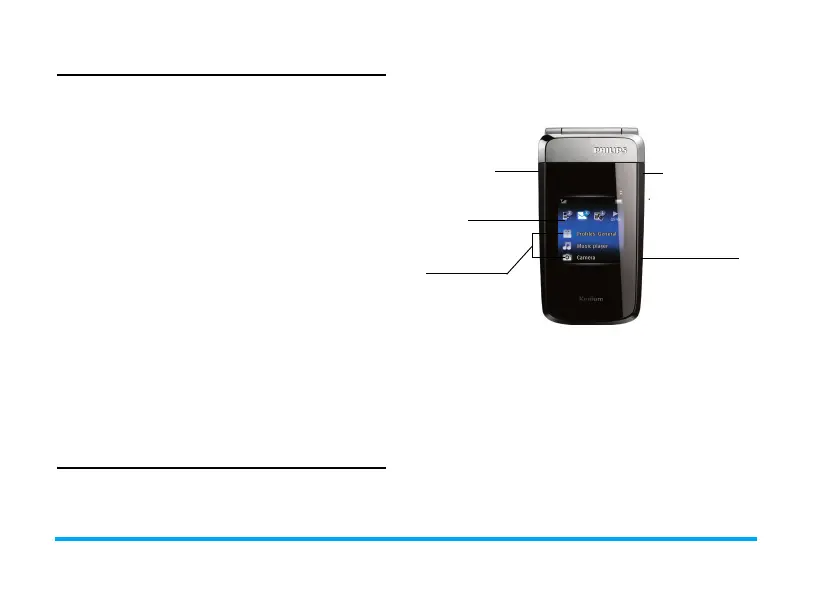
External display
With the double-sided display, the phone allows
you to be informed of new events without opening
the flip. The external display also provides you with
quick access to up to three functional menus:
Profiles, Music player, FM radio, or Camera. In this
way, you can use such functions without opening
the flip.
Keypad for the external display
0
Long press to enter “+” when
making international calls
1
Long press to access the voice
mailbox
# Long press to select/unselect
Meeting profile (by default,
vibration on or off for incoming
calls or messages)
Home key Press to enter/return to the
external main menu.
Long press to lock/unlock the
external display.
Volume/
Search key
+
Home key
Camera/
Select key
External main
menu
-
X700_En_Book.book Page 2 Wednesday, April 15, 2009 3:37 PM



 To Next Page