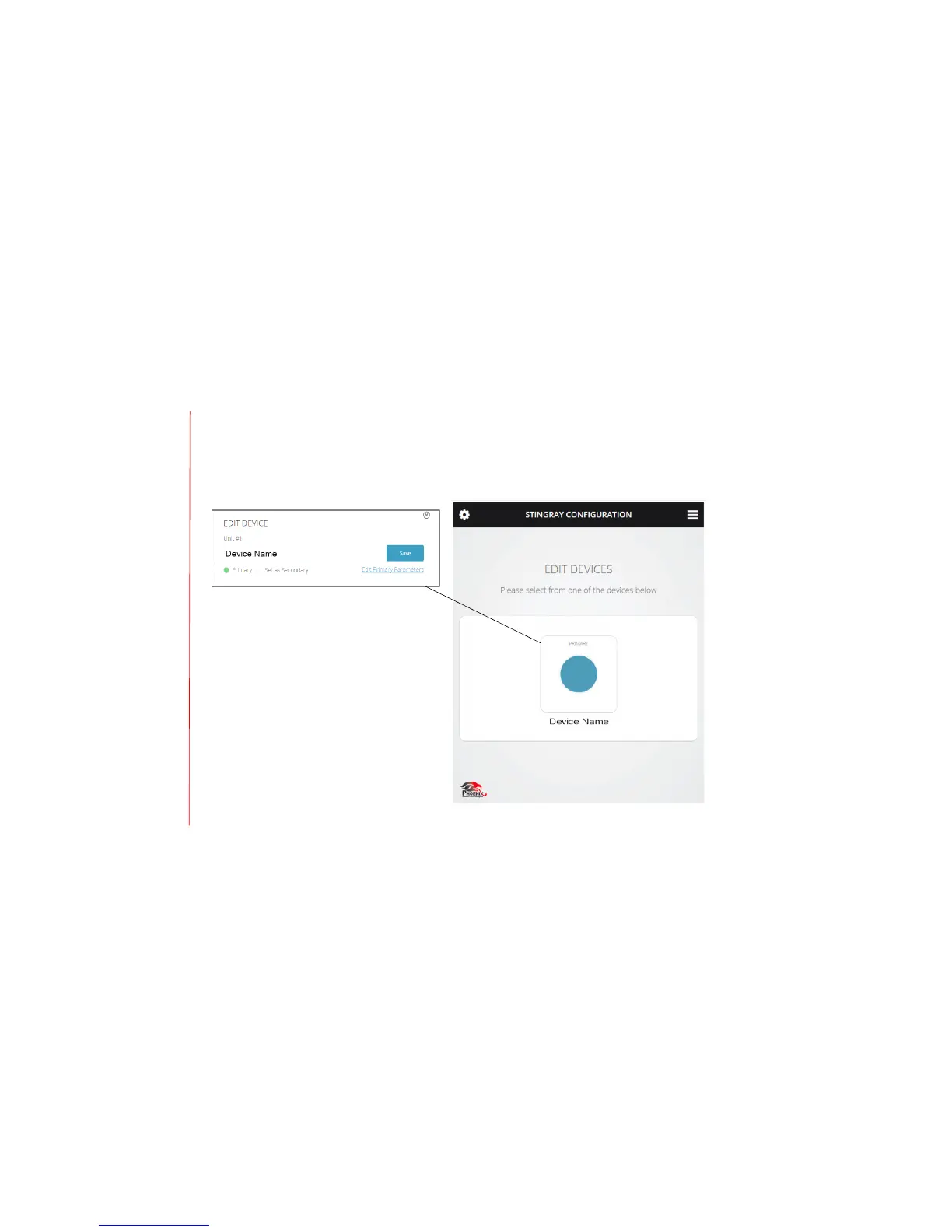
The device setup screen shows all MT700 Stingray Mixers connected to the primary mixer’s IP
address. Select a mixer to modify its name, assign primary or secondary status, and edit primary
parameters.
Use the primary parameters to adjust microphone sensitivity and loudspeaker master volume
level, set line-input balance and volume levels, and designate podium or auxiliary input.


 To Next Page