Operating Manual – MT700 Stingray
Phoenix Audio Technologies
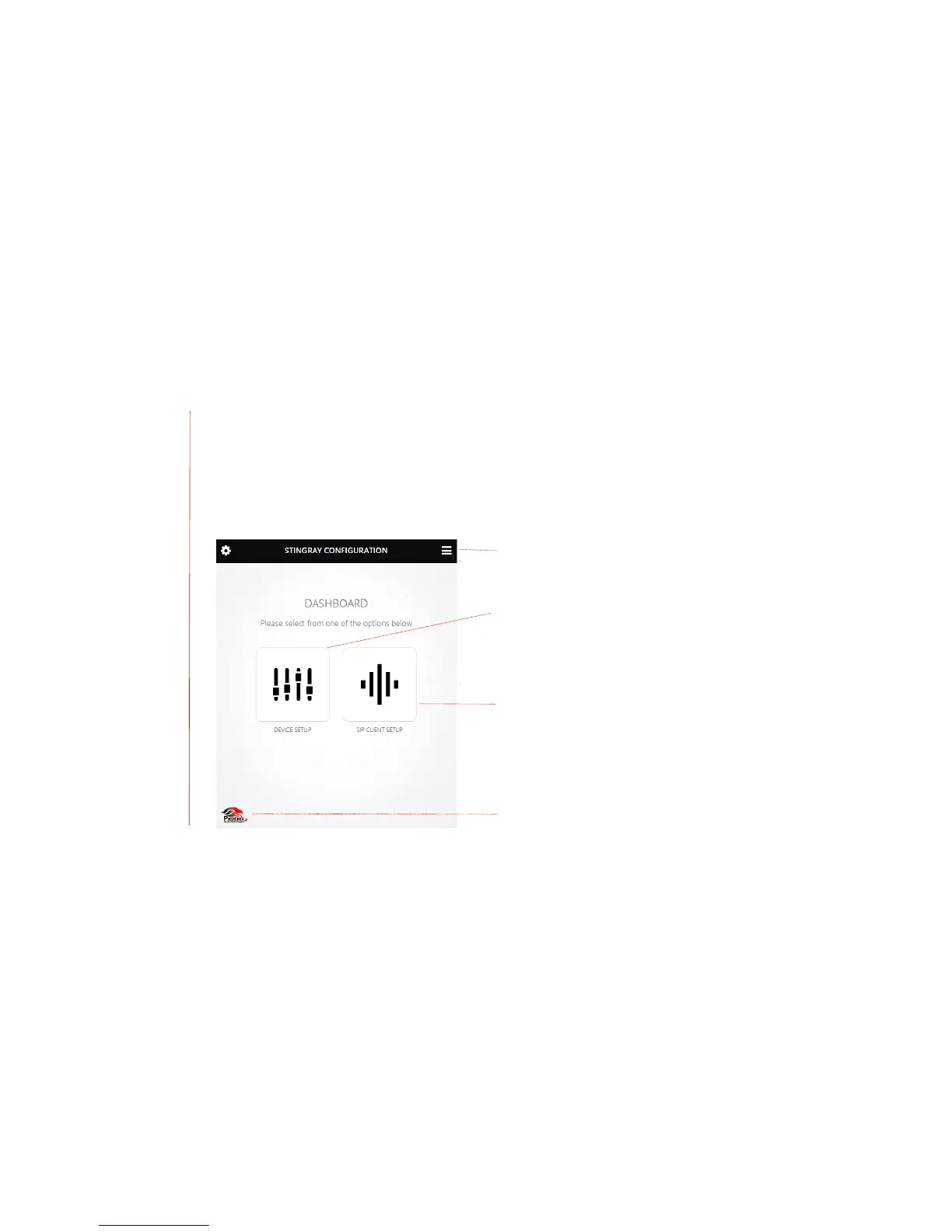
Using the Dashboard Interface
Use an IP address assigned to the MT700 Stingray Mixer to access its dashboard interface via a
browser on a device connected to the local network. Using a browser to access the dashboard
gives you remote access to the Stingray settings. The browser interface also provides access to
more precise options and settings that are unavailable via the LCD menu. For optimal
performance, assign a static rather than a dynamic IP address so that the IP address remains
unchanged. When logging in for the first time, use the default username, “admin” and default
password “1234”.
Device Setup
•
Edit the settings of an individual MT700 Stingray
Mixer or other units in a daisy-chain sequence
Menu
•
Access device/chain setup or SIP client setup
via the drop-down menu
Mixer set to primary
•
Assigns primary status to an
MT700 Stingray Mixer
connected in a daisy chain.
SIP Client Setup
•
Access controls for Configuration, Management,
Status and Diagnostics tabs for the MT700
Stingray Mixer
Quick Link to Phoenix Audio Technologies website
•
www.phnxaudio.com


 To Next Page