Zoning Quick Reference
Mixer set to primary
•
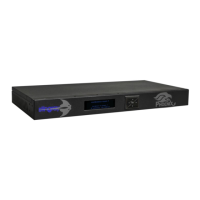
Assigns primary status to an MT700 Stingray Mixer connected in a daisy chain
•
Automatically activates the mixer’s connection to your intended communication mode –
USB, SIP or analog
•
Automatically applies all primary settings to the secondary units that follow
•
Disconnects from the communication mode any other mixers that precede it in the chain
•
Deactivates the daisy chain from any subsequent primary mixer onward, when an
additional primary mixer is designated in the chain
•
Enables podium- and auxiliary-line channel settings
Mixer set to secondary
•
Inherits all settings assigned from the primary mixer in the daisy chain
•
Automatically deactivates its direct connection to the communication mode
•
Disables line-channel processing features associated with podium and auxiliary settings,
but processes ordinary line input normally
Assigning secondary status to an MT700 Stingray Mixer does not erase automatically any primary
settings previously programmed into it. When you assign primary status to an MT700 Stingray Mixer
then later switch its status to secondary, the secondary mixer automatically inherits all settings
programmed into the primary mixer. When you reassign primary status to an MT700 Stingray Mixer,
the mixer reverts to the primary settings programmed previously.
For additional details on daisy chaining and using the browser dashboard
interface
, please visit
www.phnxaudio.com.


 To Next Page