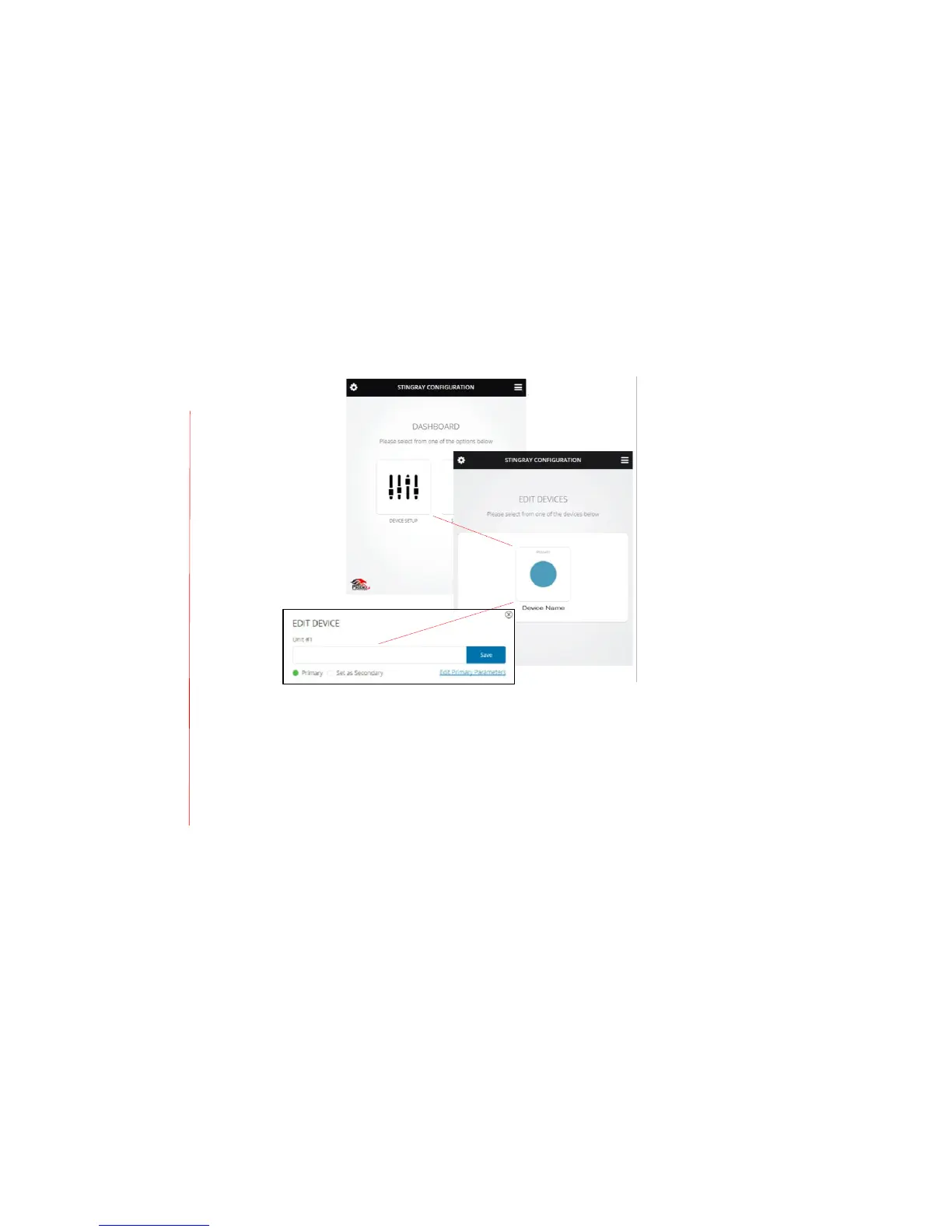
Use either the LCD menu and directional pad (see p. 8) or browser dashboard interface (see p.
16) to select primary or secondary mixer status. Before assigning primary status to an MT700
Stingray Mixer, first connect the mixer to an intended communication mode – SIP, USB, or
analog – then pre-select its primary settings, and use the browser dashboard interface to access
the admin settings and name the mixer.
Rooms also may be split or combined using the browser dashboard interface or by creating a
custom solution using the Phoenix Audio Technologies API. For more information, see the
Resources tab at http://www.phnxaudio.com/stingray/mt700.


 To Next Page