
 Need help?
Do you have a question about the Phoenix Contact FL SWITCH GHS 12G/8 and is the answer not in the manual?
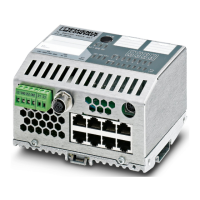
Identifies the product as a Gigabit Modular Switch, providing context for the manual's content.
Specifies the manual's focus on the Command Line Interface for the FL SWITCH GHS.
Details the meaning of symbols and signal words used throughout the manual for hazard identification.
Explains the structure and rules for constructing CLI commands, including parameters.
Details the conventions used in the document for command keywords and parameters.
Describes common parameter values and their formatting for CLI commands.
Explains how to use the 'no' keyword to reverse or disable configuration commands.
Lists the modules included in the FL SWITCH GHS Firmware software suite.
Describes commands for viewing and configuring port settings on the switch.
Enables or disables automatic negotiation for port speed and duplex settings.
Configures the Maximum Transmission Unit (MTU) size for interface frames.
Disables or enables a network port, affecting physical and port-channel interfaces.
Sets the speed and duplex configuration for network interfaces.
Displays detailed information about the status and configuration of network ports.
Enables or disables the Spanning Tree Protocol (STP) operational mode on the switch.
Specifies a port as an Edge Port to transition directly to Forwarding State.
Sets the Admin Hello Time parameter for common and internal spanning tree.
Configures Path Cost or Port Priority for Multiple Spanning Tree instances.
Sets the Administrative Switch Port State to enabled or disabled.
Displays the current Spanning Tree Protocol (STP) settings for the switch.
Provides access to VLAN configuration mode for setting VLAN characteristics.
Configures the Management VLAN ID for the switch.
Creates a new VLAN and assigns it a unique ID within the specified range.
Enables or disables ingress filtering for VLAN traffic on interfaces.
Changes the name of an existing VLAN, associating it with its ID.
Sets the frame acceptance mode for all interfaces to VLAN Only or Admit All.
Configures Generic Attribute Registration Protocol (GARP) and views its status.
Sets the GVRP join time for ports or globally, affecting GARP participation.
Enables or disables the GVRP administrative mode on the system.
Enables or disables the GARP Multicast Registration Protocol (GMRP) on the system.
Configures a VLAN as a guest VLAN for ports with failed 802.1x authentication.
Sets the authentication mode for a port (force-unauthorized, force-authorized, or auto).
Configures the timer values used by the authenticator state machine on a port.
Enables broadcast storm recovery mode for an interface to limit broadcast traffic.
Enables multicast storm recovery mode for an interface to limit multicast traffic.
Enables unicast storm recovery mode for an interface to limit unknown unicast traffic.
Configures a new port-channel (LAG) and generates a logical slot/port number.
Configures the administrative value of the key for the port-channel.
Configures the administrative value of the actor state transmitted in LACPDUs.
Configures the priority value associated with the LACP Actor’s SystemID.
Configures the current administrative value of actor state for the protocol Partner.
Configures the LACP partner port priority value.
Configures the 6-octet MAC Address for the Partner’s System ID.
Sets the timeout on a physical interface for actor or partner to long or short timeout.
Enables or disables a port-channel (LAG), with optional 'all' setting.
Displays LACP actor attributes, including system priority and port priority.
Displays a summary of all port-channels (LAGs) and their static capabilities.
Configures a probe port and monitored port for port mirroring sessions.
Enables or disables IGMP Snooping globally, on interfaces, or per VLAN.
Enables IGMP Snooping on all interfaces or disables it.
Enables or disables IGMP Snooping fast-leave mode on selected interfaces/VLANs.
Sets the IGMP Group Membership Interval time for interfaces or VLANs.
Displays IGMP Snooping information for interfaces or VLANs.
Enables IGMP Snooping Querier on the system or a VLAN, specifying the IP address.
Displays IGMP Snooping Querier information for the system or specific VLANs.
Enables or disables port security (MAC address locking) on the switch.
Sets the maximum number of dynamically locked MAC addresses allowed per port.
Displays the current port security settings for the system or specific interfaces.
Enables or disables the LLDP advertisement capability.
Sets timing parameters for local data transmission on LLDP-enabled ports.
Resets all LLDP statistics, including MED-related information.
Displays a summary of the current LLDP configuration for the switch.
Enables or disables LLDP-MED, effectively activating transmit and receive functions.
Displays a summary of the current LLDP MED configuration.
Enables protection against Denial of Service attacks where Source IP equals Destination IP.
Enables TCP Fragment Denial of Service protection for packets with offset 1.
Enables L4 Port Denial of Service protection for packets where Source Port equals Destination Port.
Configures the forwarding database address aging timeout in seconds.
Displays Multicast Forwarding Database (MFDB) information.
Sets the administrative mode of IGMP in the system to active or inactive.
Configures the IGMP version (1, 2, or 3) for an interface.
Displays system-wide IGMP information, including interface status.
Enables or disables the IGMP Proxy on the router for host multicast forwarding.
Displays host interface status parameters for the IGMP Proxy.
Configures Class of Service (CoS) settings to control traffic priority and transmission rate.
Maps an 802.1p priority to an internal traffic class.
Maps an IP DSCP value to an internal traffic class.
Sets the class of service trust mode for an interface (trust Dot1p, DSCP, or Precedence).
Displays the class-of-service queue configuration for a specified interface.
Creates a MAC Access Control List (ACL) identified by a name.
Attaches a specific MAC ACL to an interface or associates it with a VLAN ID.
Creates an IP Access Control List (ACL) identified by an access list number.
Attaches a specific IP ACL to an interface or associates it with a VLAN ID.
Displays IP ACLs, IPv6 ACLs, and MAC ACL information for an interface.
Manages dual software images, allowing selection of the active image for reboots.
Displays system information, statistics, components, and configurations.
Displays the IP stack's Address Resolution Protocol (ARP) table.
Displays the event log, containing system error messages.
Displays inventory information for the switch hardware.
Displays statistics summary for a specific interface or all CPU traffic.
Displays detailed statistics for Ethernet interfaces.
Enables logging to an in-memory log with a capacity of up to 128 logs.
Enables logging of all CLI commands issued on the system.
Enables logging to a configured host, specifying IP address, type, and port.
Displays the current logging configuration information.
Discovers network routes by sending packets hop-by-hop to a destination.
Resets the switch configuration to factory defaults without powering off.
Resets all user passwords to factory defaults, requiring confirmation.
Tests network connectivity by sending Echo Requests to a destination host.
Resets the switch without powering it off, re-executing the boot code.
Uploads, downloads, and manages files and firmware images on the switch.
Enables SNTP client mode, allowing configuration for broadcast or unicast.
Configures SNTP servers, including IP address, priority, version, and port.
Displays SNTP client settings, including supported modes and versions.
Configures logical interfaces for management access, including the management VLAN.
Sets the IP address, subnet mask, and gateway for the network management port.
Displays configuration settings for the switch's network interface.
Enables Telnet server access to the system and opens the Telnet listening port.
Establishes a new outbound Telnet connection to a remote host.
Sets the Telnet session timeout value in minutes for inactivity.
Displays the current inbound Telnet settings for connections to the switch.
Enables SSH access to the system, providing secure remote management.
Sets the SSH connection session timeout value in minutes.
Displays the current SSH settings for the switch.
Generates a self-signed certificate for HTTPS access.
Generates an RSA key pair for SSH, overwriting existing keys.
Enables or disables access to the switch through the Web interface.
Enables the secure socket layer for secure HTTP connections.
Configures the hard timeout for un-secure HTTP sessions in hours.
Limits the number of allowable secure HTTP sessions.
Displays the current HTTP settings for the switch.
Closes active remote connections (HTTP, Telnet, SSH) or specific sessions.
Displays current Telnet and serial port connections to the switch.
Adds a new user account to the system, with username and privileges.
Unlocks a user account that has been locked due to multiple failed login attempts.
Changes the password for a logged-in user, enforcing case sensitivity.
Displays configured user names and their settings (access mode, SNMPv3).
Enforces a minimum password length for local users and the enable password.
Strengthens security by locking user accounts after multiple failed login attempts.
Applies the commands within a specified script file to the switch.
Deletes a specified script file or all script files from the switch.
Configures SNMP agent settings including system name, location, and contact.
Adds, names, and configures SNMP communities with specified privileged levels.
Sets a client IP address for an SNMP community, defining an access range.
Activates an SNMP community, allowing managers to interact based on access rights.
Restricts switch information access to read-only mode.
Enables sending traps for disallowed MAC addresses on locked ports.
Adds an SNMP trap receiver, specifying name, IP address, and SNMP version.
Displays SNMP community information, including supported communities.
Enables the switch to accept VLAN assignment from a RADIUS server.
Enables or disables the RADIUS accounting function.
Configures RADIUS authentication and accounting servers with IP addresses.
Configures the shared secret between the RADIUS client and server.
Displays RADIUS configuration items and configured RADIUS servers.
Displays statistics for RADIUS or configured servers.
 General
| Brand | Phoenix Contact |
|---|---|
| Model | FL SWITCH GHS 12G/8 |
| Category | Switch |
| Language | English |





 To Next Page