RAD-...-IFS
42 / 198
PHOENIX CONTACT 105542_en_05
4.6.4 Device settings
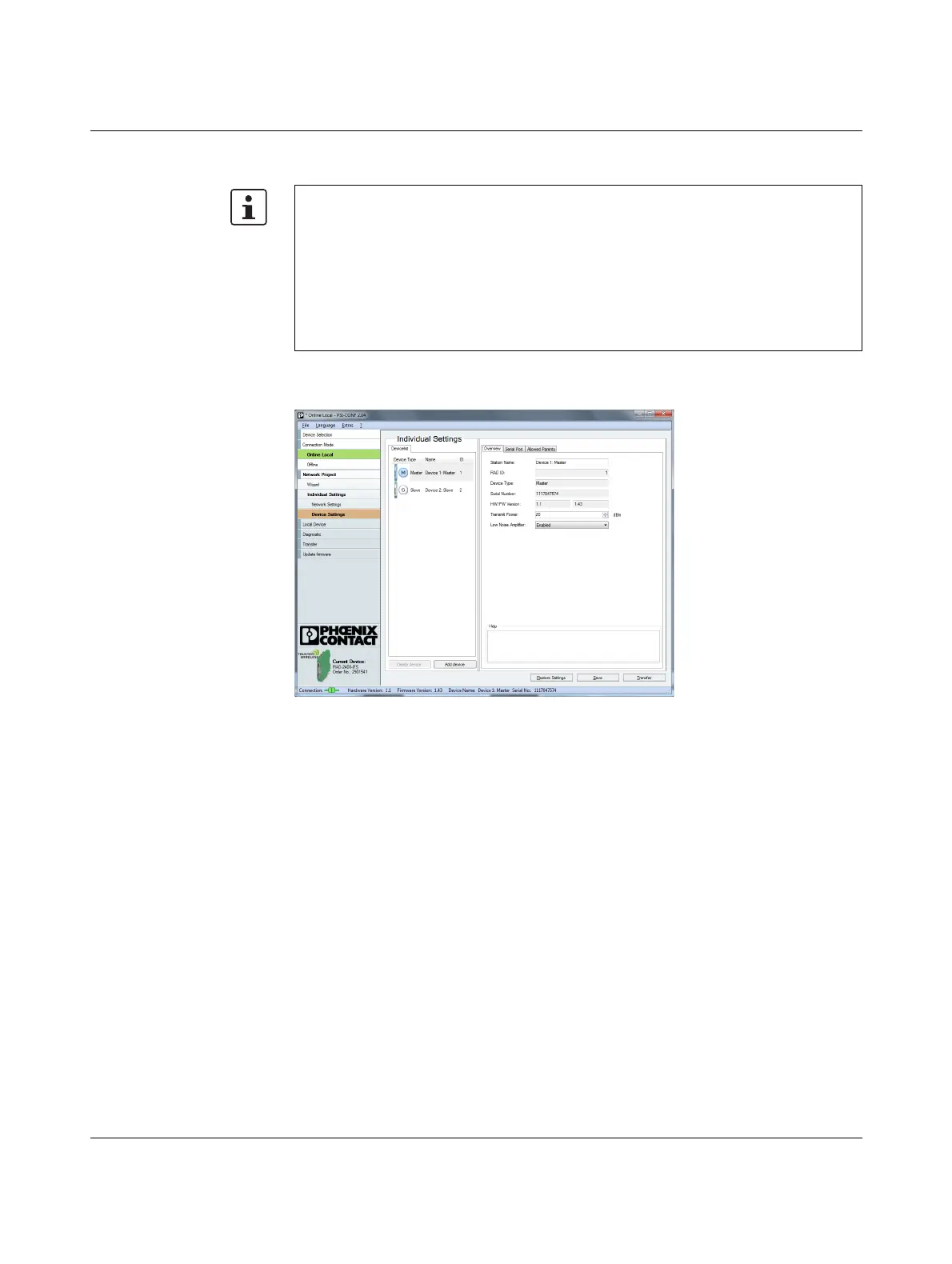
You can assign a device name or set the transmission power under “Device Settings”. All
device parameters are listed on the “Overview” tab.
Figure 4-10 PSI-CONF software: “Individual Settings, Overview”
By default upon delivery, the receive preamplifier is activated. The transmission power is
set so that the devices can cover the greatest possible distances:
– RAD-2400-IFS: 18 dBm
– RAD-2400-IFS-JP: 20 dBm
– RAD-868-IFS: 27 dBm
Therefore, if the devices are operated directly next to one another the receiver may be-
come overloaded. In this case, remove the antennas, increase the distance between the
devices and antennas or reduce the transmission power using the PSI-CONF software.


 To Next Page
 Loading...