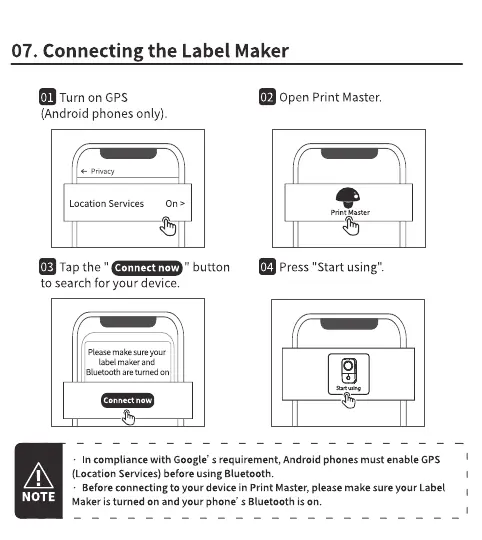
07. Connecting the Label Maker
Turn on GPS
(Android phones only).
privacy
Location Services
Tap the "
to search for your device.
Pleasemake sure your
label maker and
Bluetooth are tumed on
Connect
" button
Open Print Master.
p rint aster
Press "Start using".
o
In compliance with Google' s requirement, Android phones must enable GPS
(Location Services) before using Bluetooth.
Before connecting to your device in print Master, please make sure your Label
NOTE
Makeristurned Onand your phone' s Bluetooth is On.



 To Next Page