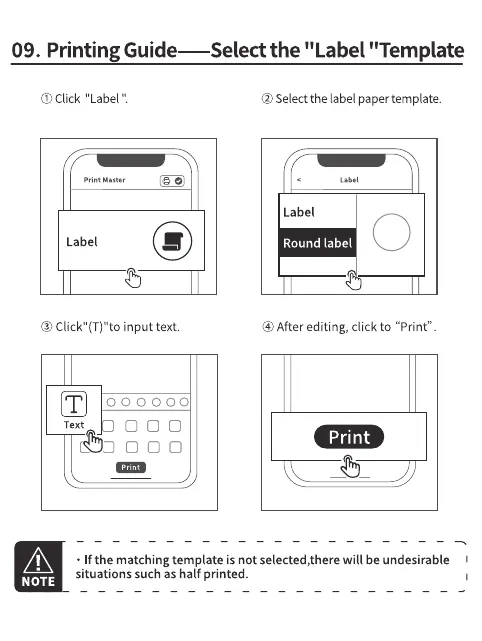
09. Printing Guide—Select the "Label "Template
O) Click "Label
print Master
Label
@ Click" input text.
000000
Text
ooo
@Selectthe label papertemplate.
Label
Round label
@ After editing, click to "Print".
Print
NOTE
• If the matching template is not selected,there will be undesirable
situations such as half printed.



 To Next Page