STEP 4.1
Security & Privacy Setting for macOS
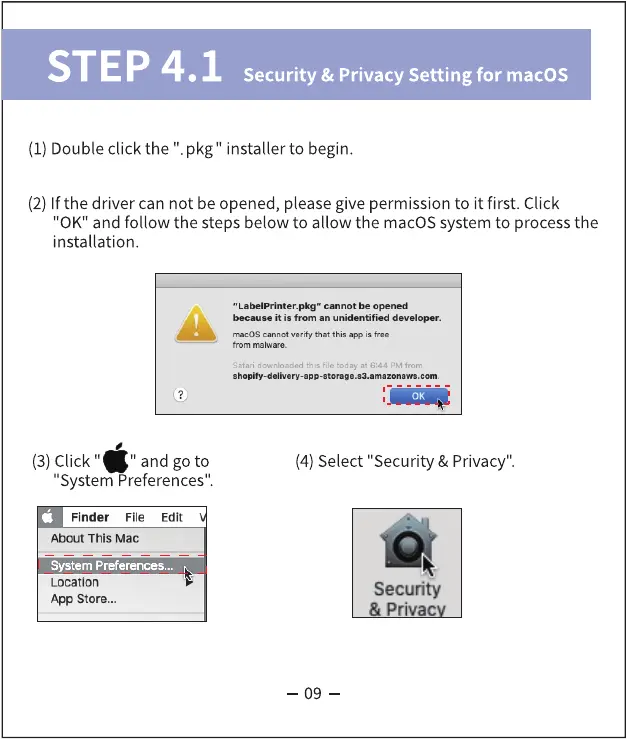
(1) Double click the ". pkg" installer to begin.
(2) If the driver can not be opened, please give permission to it first. Click
"0K" and follow the steps below to allow the macOS system to processthe
installation.
"Labelprinter.pkg" cannot be opened
because it is from an unidentified developer.
macOS cannot verify that this is free
•del
(3) Click "
" and goto
"System Preferences".
Finder File Edit
About This Mac
System Preferences...
Location
App Store...
(4)Select "Security & Privacy".
Security
Privac
09



 To Next Page