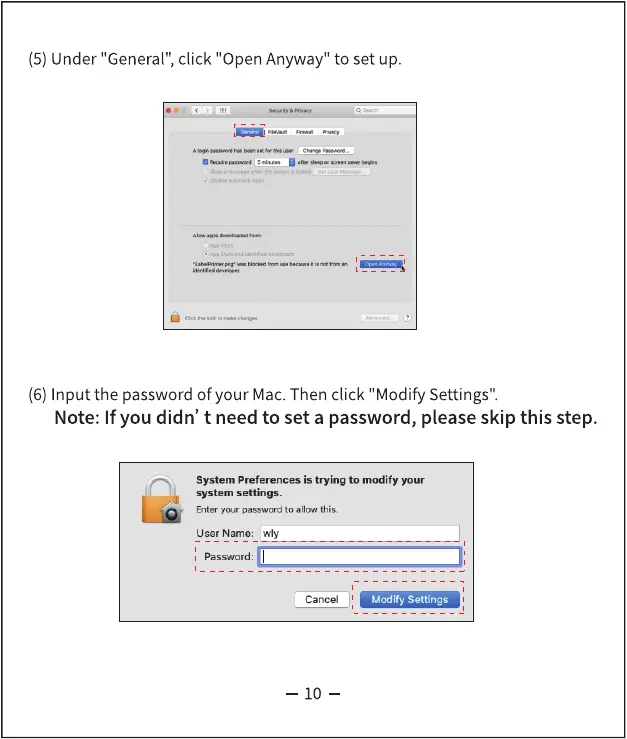
(5) Under "General", click "Open Anyway" to set up.
(6) Input the password of your Mac. Then click "Modify Settings".
Note: If you didn' t need to set a password, please skip this step.
System Preferences is trying to modify your
system settings.
Enter your password to allow this.
user Name: wly
Password:I
Cancel
10
Modify Settings



 To Next Page