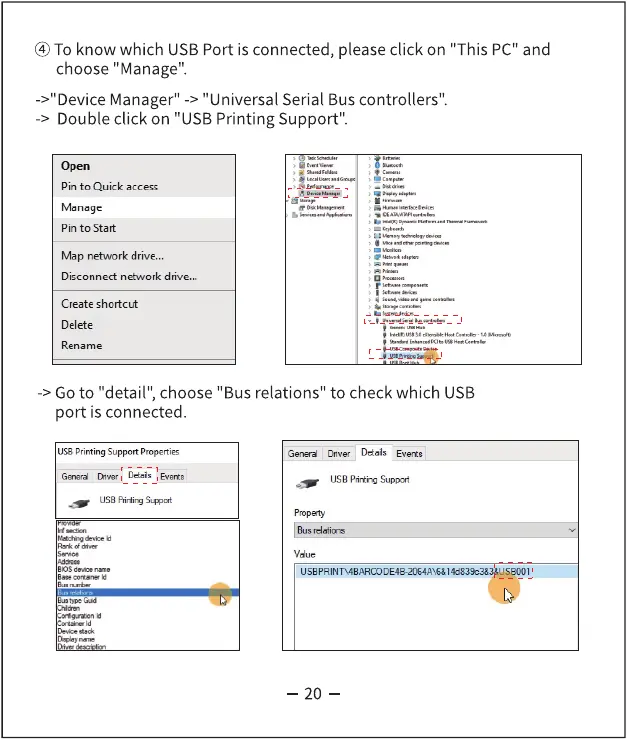
know which USBPort is connected, please click on "This PC"and
choose "Manage".
->"Device Manager" -> "Universal Serial Bus controllers".
-> Double click on "USB Printing Support".
Pin to Quick access
Manage
Pin to Start
Map network drive...
Disconnect network drive...
Create shortcut
Rename
-> Go to "detail", choose "Bus relations" to check which USB
port is connected.
printingSupport
Detds Evats
USB
General Diver Evets
USB Printing Support
Bus relations
20



 To Next Page