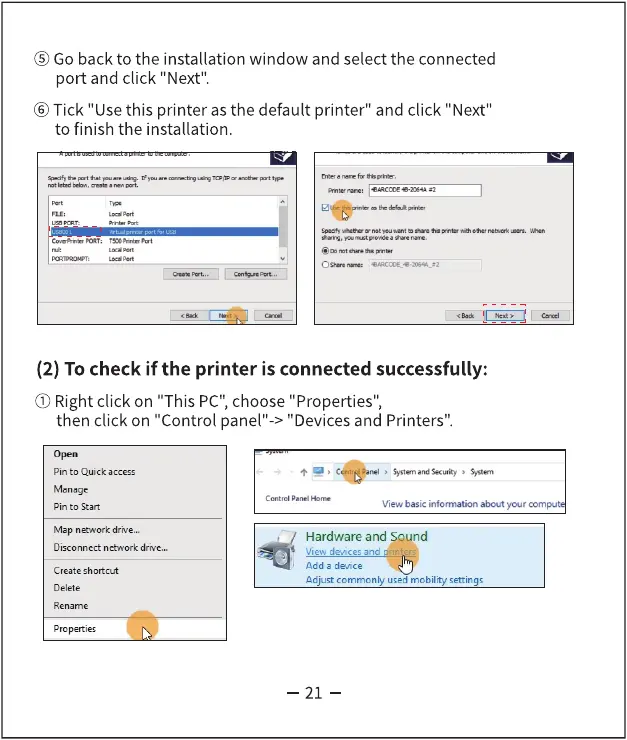
@ Go back to the installation window and select the connected
port and click "Next".
@Tick "Use this printer as the default printer" and click "Next"
to finish the installation.
(2) To check if the printer is connected successfully:
O)Right click on "This PC",choose "Properties",
then click on "Control panel"-> "Devices and Printers".
Pin to Quick access
Pin to Start
Map network drive„.
Disconnect net•.wrk drive...
Create shortcut
Delete
Rename
Properties
View basic information your
Hardware and Sound
View devices and rin
Add a device
Adjust commonly used mobility settings
—21 -



 To Next Page