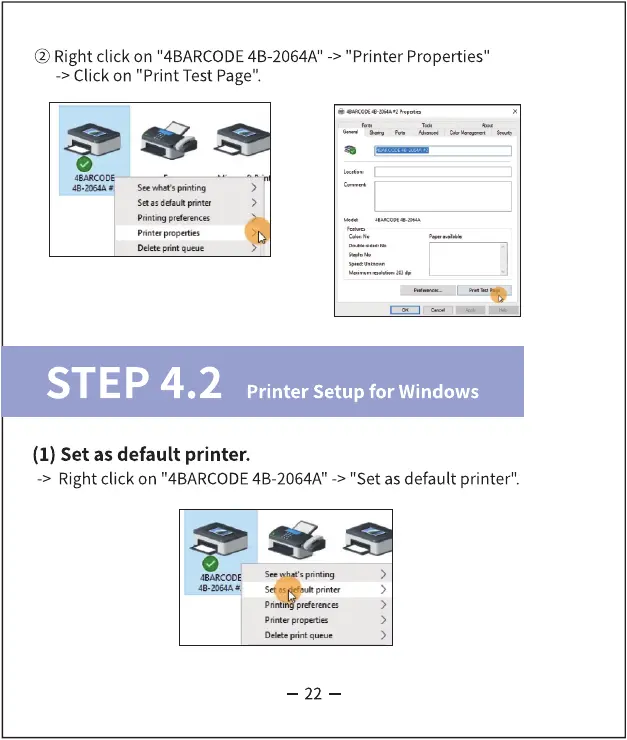
@ Right click on "4BARCODE4B-2064A
-> Click on "Print Test Page".
" -> "Printer Properties"
GARCODE
pritting
Se "auk
Printer popet•s
STEP 4.2
Printer Setup for Windows
(1) Set as default printer.
-> Right click on "4BARCODE4B-2064A" -> "Set as default printer".
See s
Set •s
Prit•er propenies
Düte
22



 To Next Page