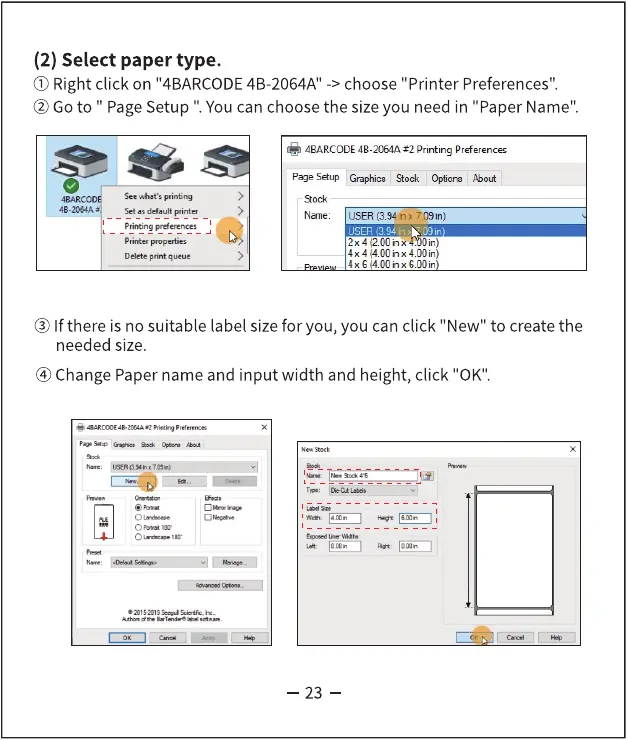
(2) Select paper type.
(i) Right click on "4BARCODE4B-2064A"-> choose "Printer Preferences".
@ Goto " PageSetup Youcan choose the size you need in "Paper Name".
4BARCODE4B-2064A Printing Preferences
page Graphics Stock Q'tions *out
Name: USER(3.94,nx
2x4(2.OOinx
@ If there is no suitable label size for you, you can click "New" to create the
needed size.
@ Change Paper name and input width and height, click "0K".
— 23 -



 To Next Page