MAINTENANCE
Printer head Cleaning Steps
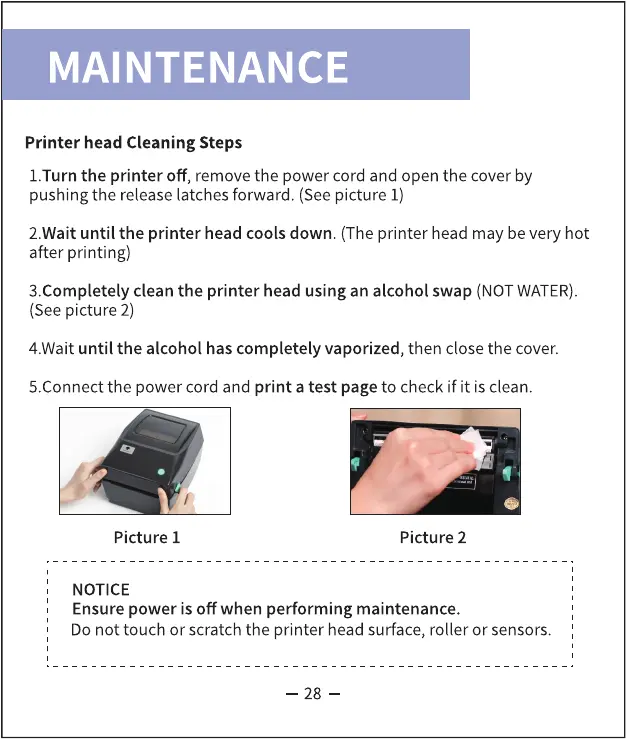
I.Turn the printer off, remove the power cord and open the cover by
pushing the release latches forward. (Seepicture I)
2.Wait until the printer head cools down. (The printer head may be very hot
after printing)
3.CompIeteIy clean the printer head using an alcohol swap (NOTWATER).
(See picture 2)
4.Wait until the alcohol has completely vaporized, then close the cover.
5.Connect the power cord and print a test page to check if it is clean.
Picture I
NOTICE
Picture 2
Ensure power is off when performing maintenance.
Do not touch or scratch the printer head surface, roller or sensors.
28



 To Next Page