STEP 2 LabelLoading
The Phomemo printer iscapable of working with labels ranging from 1"
to 4.52" (25.4to 115mm) in width. To print on different labels correctly,
the printer needs to identify your label size before it starts printing.
> To run the automatic label identification
please follow these steps:
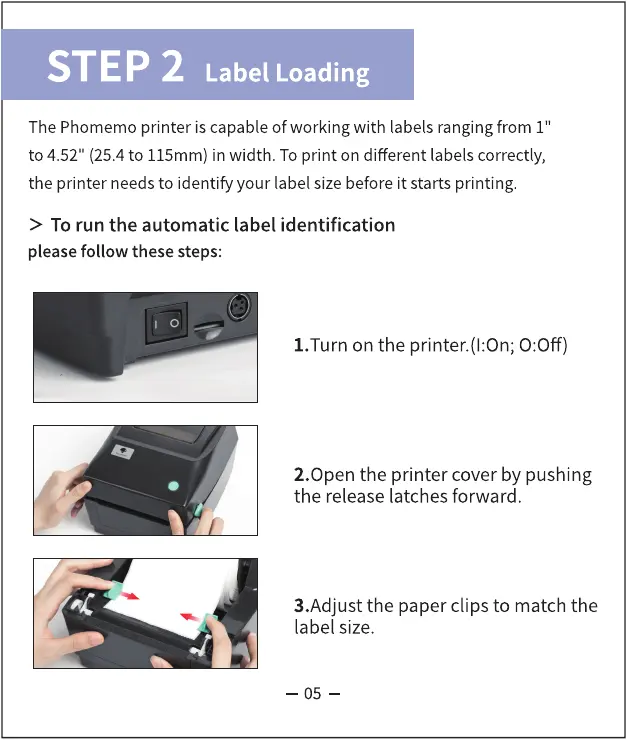
1.Turn on the printer.(l:On; 0:0ff)
2.0pen the printer cover by pushing
the release latches forward.
3.Adjust the paper clips to match the
label size.
05



 To Next Page