•l Quick start
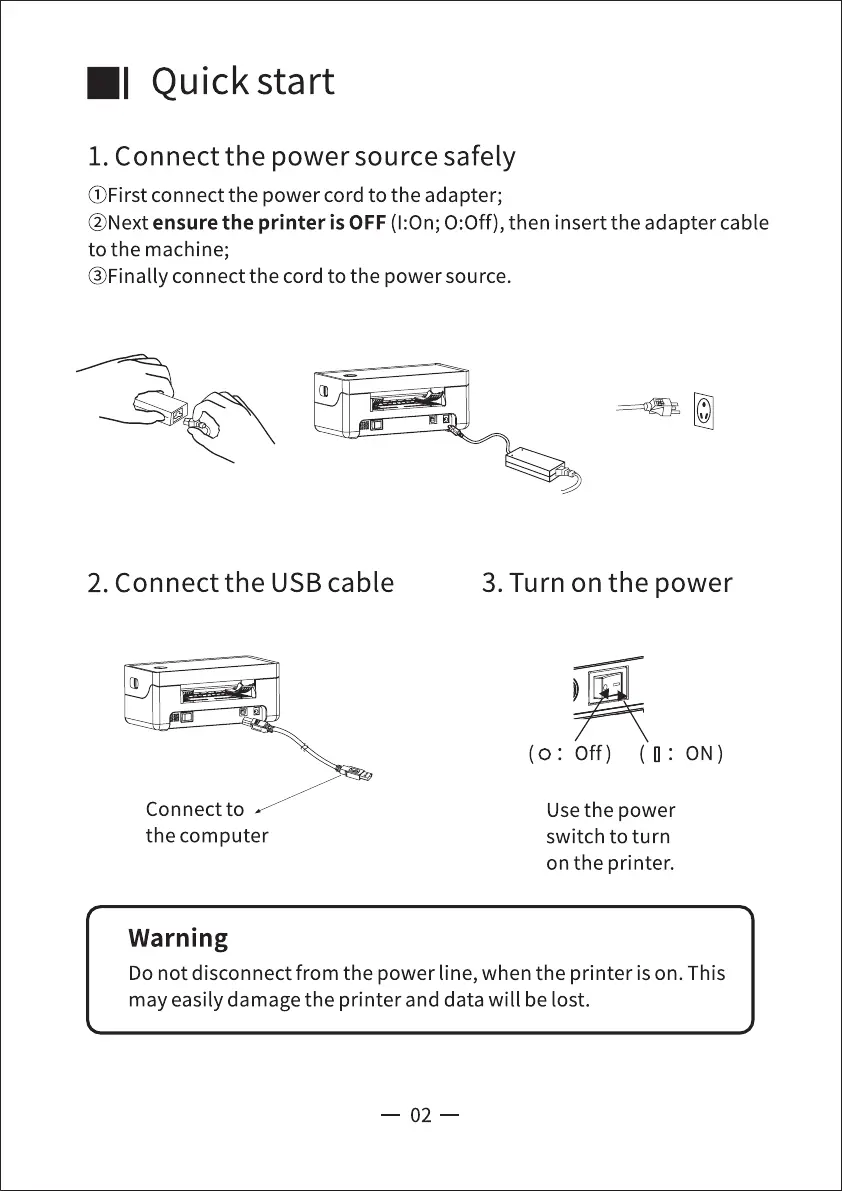
1. Connect the power source safely
(j)First connect the power cord to the adapter;
@Next ensure the printer is OFF (1:0n; 0:0ff), then insert the adapter cable
to the machine;
@Finally connect the cord to the power source.
2. Connect the USB cable
Connect to
the computer
Warning
3. Turn on the power
(o: Off) (0: ON)
Use the power
switch to turn
on the printer.
Do not disconnect from the power line, when the printer is on. This
may easily damage the printer and data will be lost.
02



 To Next Page