PHONIC CORPORATIONMM502 USER’ S MANUAL
Page 4
INTRODUCTION
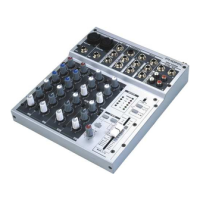
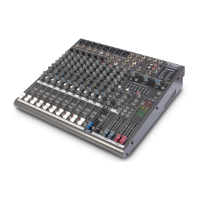
Thank you for purchasing MM502 mixer. Based on
years of experience in designing and manufacturing
professional audio equipment, PHONIC designed this
versatile mixer for those who need a mixer to handle
small size venue, recording studio and/or PA installation.
It comes with 2 microphone inputs, 5 line inputs. It
’
s
so compact, you would not believe that this is a mixer
suitable for so many applications!
This unit is designed with great care and great
attention to details, so please read this manual carefully.
Look after it and keep it in a safe place for future
reference.
FEATURES
• Extremely low noise preamps using NJM2068
IC
• 2 Mic inputs in total
• 5 Line inputs
• 1 mic/line and 2 stereo channels
• Low cut, 2-Band EQ and insert on mono input
channel
• 2T RTN and 2T REC for CD or tape player
• Global +48V Phantom Power
• Dual 4-segment master level meter
• Headphones Output with volume control
• Peak LEDs on mono input channel
GETTING STARTED
1. Check the AC voltage before connecting the
power plug to the outlet. Make sure the AC power
supply shares the same voltage used in your
country (For example, while some countries use
100V, others use 120V, 230V, or 240V). Proper
grounding prevents user from experiencing
electrical shock.
2. Setup the mixing console where the operator
can clearly hear the reproduced sound.
3. Try to use balanced connection whenever
possible. Make sure power cord is not mixed
with wiring for lighting. If necessary, cross audio
and lighting cables at 90 degree angle to
minimize the possibility of interference. Keep
unbalanced cabling as short as possible.
4. Before turning on the power, make sure all faders
are turned down to prevent other equipments
from harming.
5. Check your cables regularly and label each end
clearly for immediate identification.
6. Always turn off the power before connecting to
and disconnecting from the unit.
7. Always turn on the unit before turning on power
amplifiers and turn it off only after power
amplifiers have already been turned off.
INTRODUCTION / FEATURES / GETTING STARTED



 To Next Page