32
09004 - EN
1. INTRODUCTION
Dear Customer,
The product you have chosen meets the quality and performance standards set by leading car manufacturers and complies with EU
directives on safety and reliability.
This manual lists all the system functions, both those already programmed by the factory and those that can be activated by an authorised
Vodafone Automotive installation centre.
Please read the manual carefully if you wish to learn more about the product and keep it in a safe place for future reference.
This alarm system is equipped with a CAN (Controller Area Network) interface that enables dialogue with the vehicle's data network. It can
be armed/disarmed using the vehicle's original remote control, or using the supplied remote control that allows the delimitation of the
zones to be protected on the vehicle.
2. ARMING/DISARMING THE SYSTEM WITH THE VEHICLE'S ORIGINAL REMOTE CONTROL OR THE SUPPLIED REMOTE CONTROL
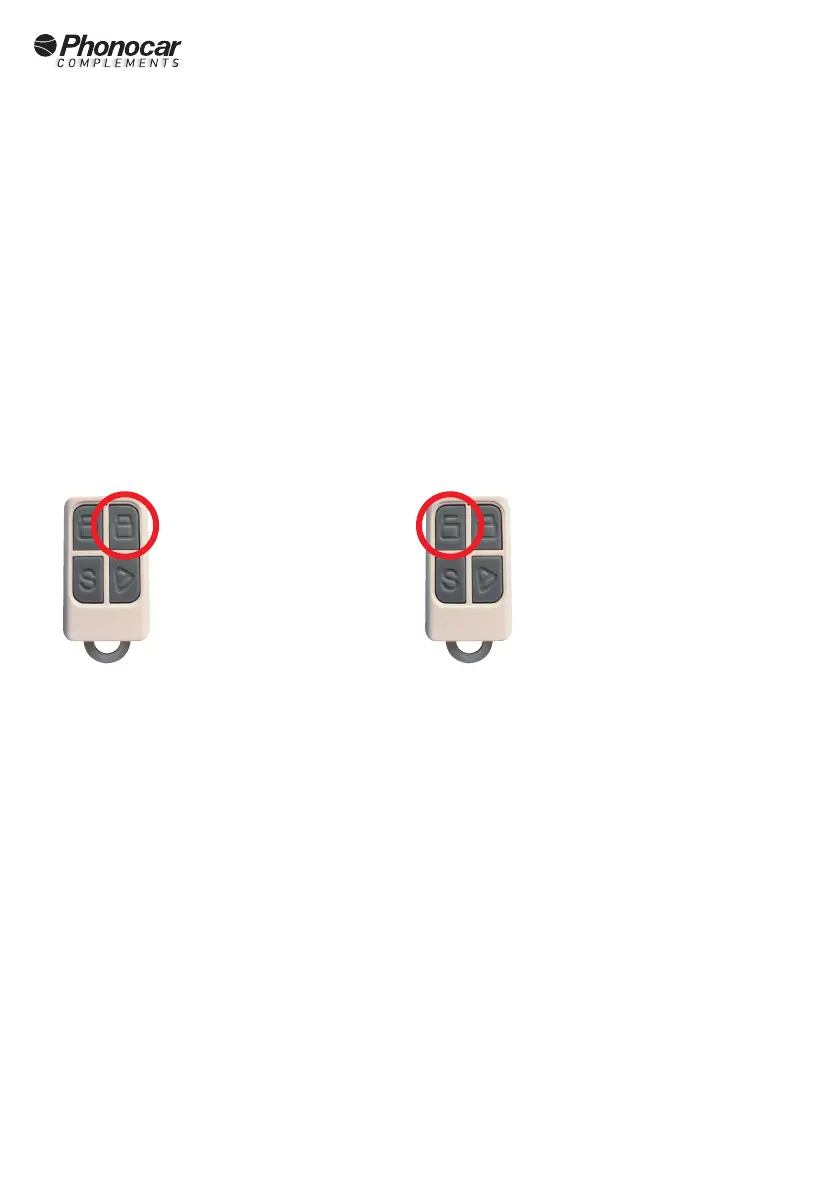
Alarm
button
Alarm
Disarm
button
To arm the system, press the close button of the original remote control or the supplied remote control once.
Switch-on is conrmed by:
- Central locking (only with original radio control or via optional module 09114)
- Acoustic signals from the internal buzzer
- Siren sound signals
- Optical signalling by switching on the direction indicators (only with original radio control)
- Switching on the LED indicator on the control panel
Note: The actual insertion of the protection takes place after a neutral time of about 30 seconds..
To disarm the system, press the opening button of the original remote control or the supplied remote control once.
Disarming is conrmed by:
- Opening of centralised locks (only with original radio control or via optional module 09114)
- Acoustic signals from the internal buzzer
- Siren sound signals
- Optical signalling by switching on the direction indicators (only with original radio control)
- Turning o the LED indicator on the control panel


 To Next Page