25
GBINSTALLATION
Installations Procedures
After having effected the electrical connections, carefully check if everything is alright.
Reset
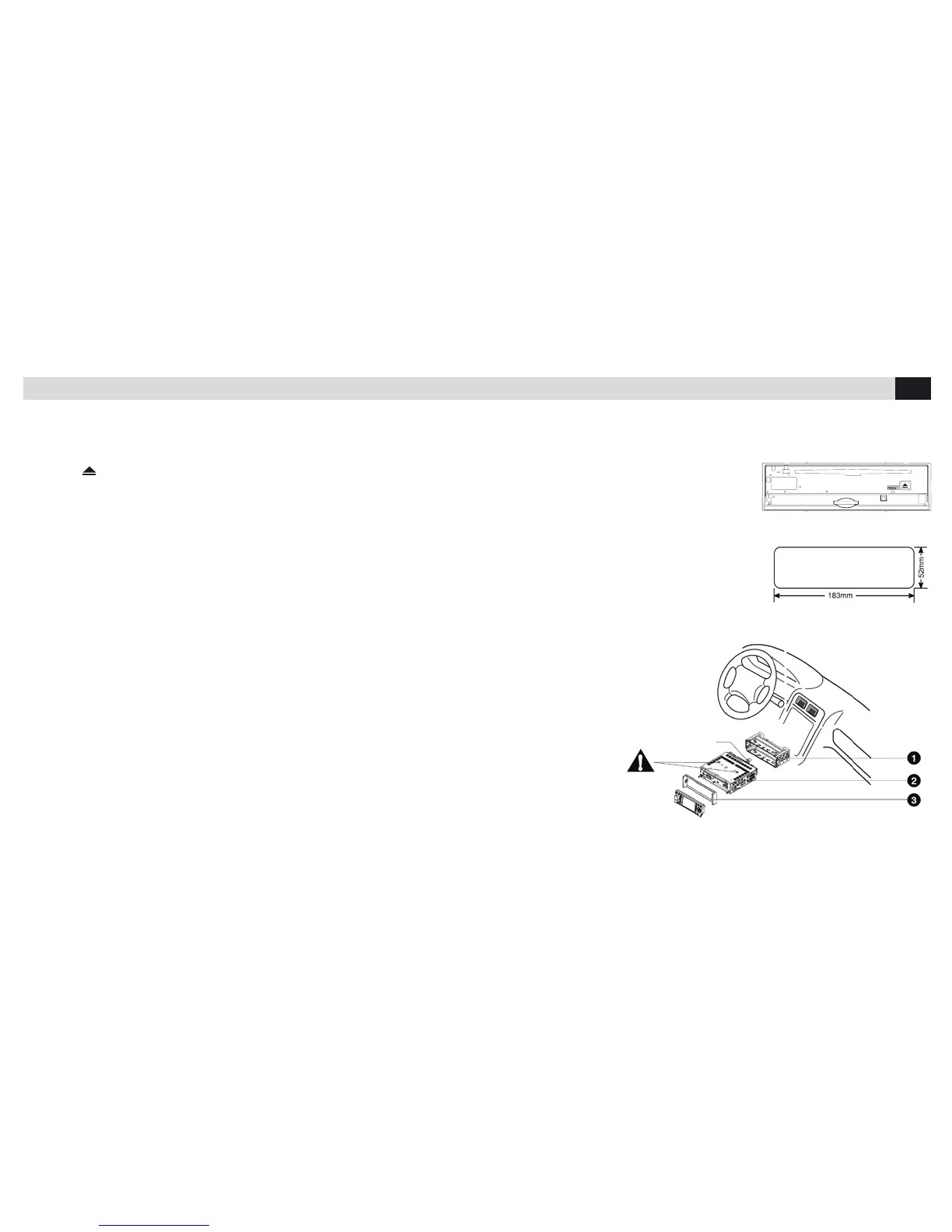
Press key
to slide front-plate down. By means of a pointed object, press RESET to re-establish the original settings
of the Unit.
NOTE: by pressing RESET, memorized Clock-Time and Stations will be lost.
Installation-Opening
This Unit can be installed in any Dashboard having an opening line shown in the gure and with the following dimensions:
183 mm x 52 mm height..
IMPORTANT:
Before effecting the installation, take the two screws off, otherwise the Player would not run,.
1. Introduce the Bracket into the Dashboard
Fold the xation-points with a screw-driver. Make sure that the Blocking-Lever….stands at the same
level as the mounting Bracket (Blocking-Lever should not overhang.
2. Fix the rear of the Unit
After having xed the screw and Current-supply connector, x the rear of the Unit to the car, making
use of the rubber-pieces.
3.Introduce the adapter frame.
Mounting bolt
rubber cushion.



 To Next Page