26
Control Panel
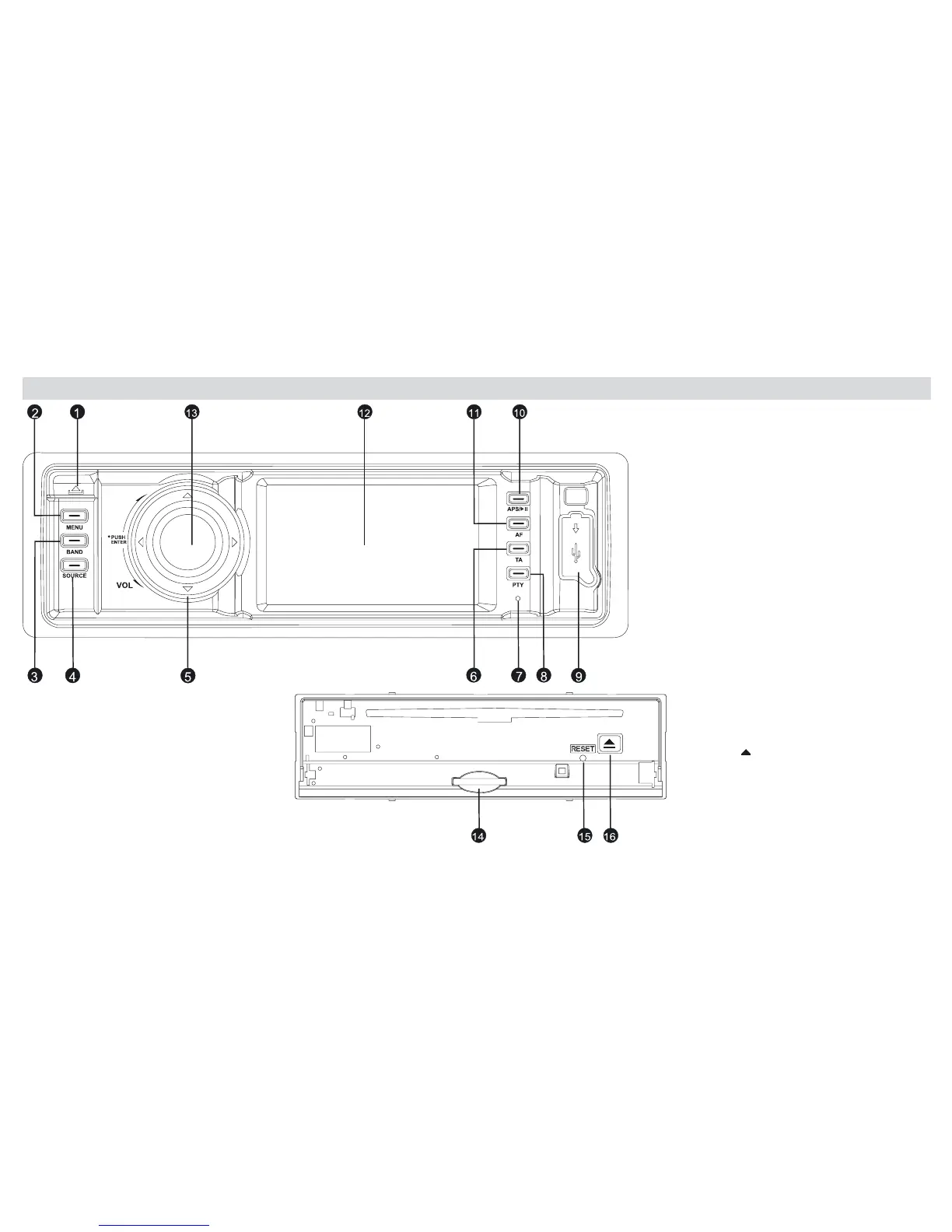
1) Open front panel
2) Menu-key: System Setup
3) Band-Selection:
FM1, FM2, FM3, AM1, AM2
4) Source:
RADIO,DISC,SD,USB,BACK
VIEW,AUX,BLUETOOTH
5) Direction-keys: move within
Menus using keys
6) TA: Activates/De-activates
Trafc-Announcements-Function
7) Microphone
8) PTY: Select type of radio-programme
9) USB-port
10) APS/ : Radio-stations scanning
Play/Pause
11) AF: alternative Frequency ON/OFF
12) Display TFT 3" touch screen
13) Rotate knob to set volume
14) Inlet for SD/MMC-card
15) Reset: re-establish original settings
16) Key
: CD-expulsion



 To Next Page