30
Reproduction Operations
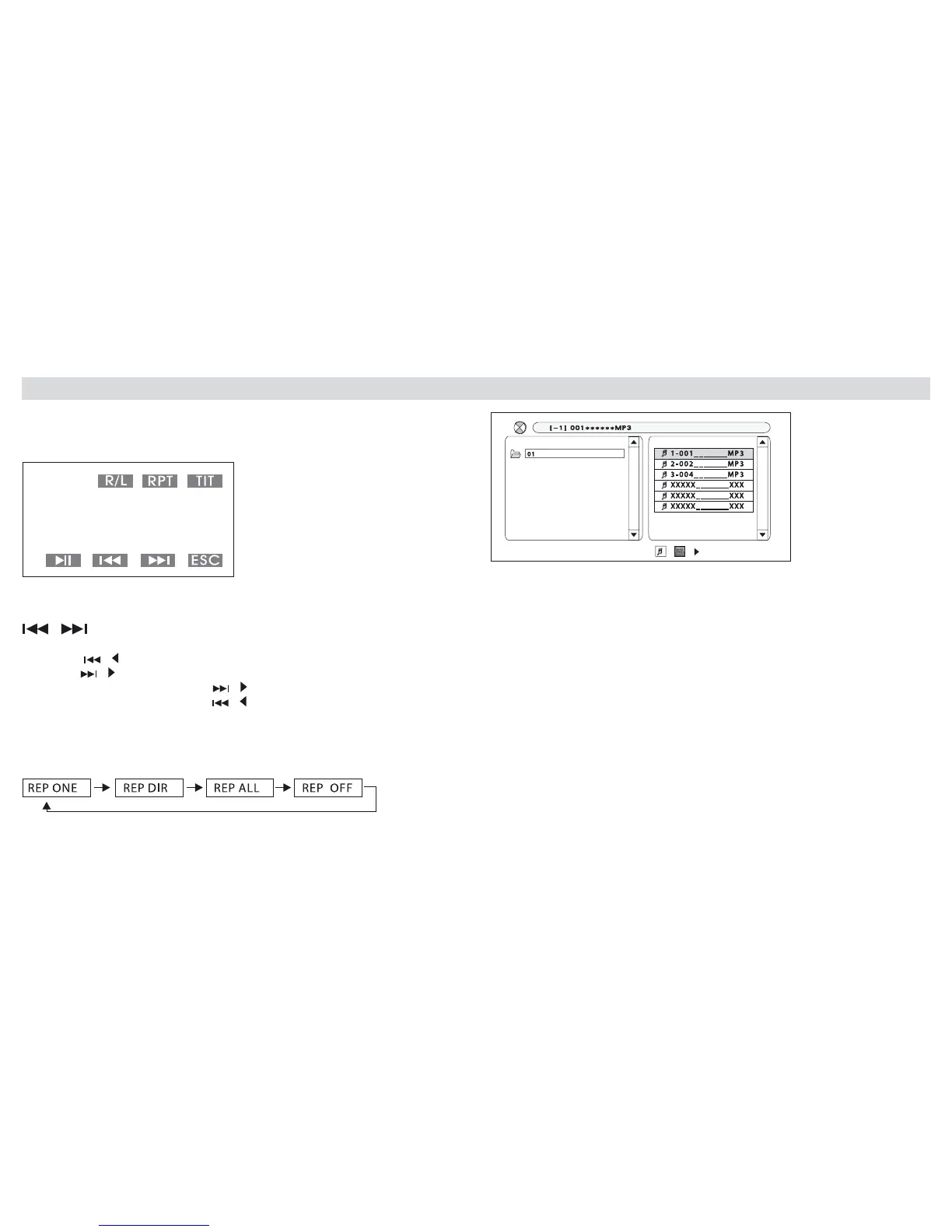
During the reproduction of a DVD/VCD/CD, you can touch the screen-cen-
tre, so that the TOUCHSCREEN-system will show the following Menu:
Note: owing to various different
masterization-systems, it may happen
that certain cd-r,cdrw, dvd-rw,dvd+rw
cannot correctly be read by the Unit.
The Unit may also have difculties in
recognising NON-FINALIZED CDs.
To learn more about the CD-Finali-
zation-process, please refer to the
Manual of the related Registration-
Programme.
• Select Track, Chapter or Scene:
press / to select PREVIOUS track, chapter, scene.
press / to select SUBSEQUENT track, chapter, scene.
• Fast Forward: Keep pressed /
• Fast Rewind: Keep pressed /
RPT
Repetition: press RPT on Screen or Remote-Control, to select:
The TFT-screen will visualize the following Menu:
• On the right hand-side of this Menu, you will nd the Sub-Menu. Press
to select les from the given List.
R/L: Press R/L on Screen or Remote-Control , to select: AUDIO
MONO L, AUDIO MONO R, AUDIO STEREO.
TIT: In DVD, VCD-reproduction-mode, press TIT on the Screen or on Remo-
te-Control, to return to the rst Menu where you can select the requested
Functions.
ESC: Press to pass from the reproduction-mode to the Source-Selection
menu.



 To Next Page